If you are buying one Starlink terminal for a fixed home address, the Standard rectangular dish is the correct answer in almost every market: the lowest hardware price in the line-up, the lowest install complexity, and specifications that comfortably cover an ordinary house. The High Performance terminal earns its premium only on boats, in-motion vehicles, congested cells and commercial sites — and the in-motion case specifically requires the Flat High Performance variant with a matching mobility plan. The Mini is a travel, van and backup unit rather than a household replacement. Before any of that, check the availability map for your exact service address, because in a waitlisted or sold-out cell the correct terminal is the one you can actually activate. Everything below is the specification, pricing and install detail that decides which of those sentences applies to you.
One framing point before the numbers. Starlink is low-Earth-orbit satellite internet, and that changes where the engineering effort sits. With traditional geostationary satellite internet the dish is a dumb reflector pointed at one fixed spot in the sky, and the latency penalty is unavoidable. With a LEO system the satellites cross overhead in minutes, so the terminal itself has to be an active, steerable, computationally busy device — which is exactly why it costs what it costs, draws the power it draws, and behaves oddly in snow and heat. The user terminal is not an accessory to the service. It is most of the product.
How this article is sourced
Where a figure is published by SpaceX it is presented as published. Where a figure comes from teardowns, regulatory filings, retailer pages or community reports, this article says so in the sentence that carries it. Where we have neither a published figure nor a reliable source — resale values, for example — we say that too, instead of inventing a number.
Starlink user terminal specs at a glance (2026)
This is the reference table for the whole article. Every later section points back to it rather than restating the same figures, so if you only read one block, read this one.
| Specification | Standard (rectangular) | High Performance | Roam / RV | Mini |
|---|---|---|---|---|
| Typical power draw | 50-75W (65W working average) | 110-150W (130W working average) | Same as Standard | 20-40W |
| Peak draw | ≈100W during snow melt | Higher, with greater melt capability | ≈100W | Higher at acquisition |
| Energy at 24/7 operation | ≈47 kWh per month | ≈94 kWh per month | ≈47 kWh per month | ≈19 kWh per month |
| Ingress protection | IP54 (splash) | IP56 (water jets) | IP54 | IP67 (immersion) |
| Operating temperature | ≈-30C to 50C | ≈-30C to 50C | ≈-30C to 50C | ≈-30C to 50C |
| Survival temperature | ≈-40C to 60C | ≈-40C to 60C | ≈-40C to 60C | ≈-40C to 60C |
| Panel weight | ≈2.9 kg (6.4 lb) | Heaviest in the range; assume a reinforced mast | ≈2.9 kg | 1.1 kg |
| Panel size (approx.) | 51 x 30 x 4 cm | Larger in both axes | 51 x 30 x 4 cm | 29 x 26 x 4 cm |
| Cable | 15 m proprietary | 23 m proprietary | 15 m proprietary | Integrated lead; DC and USB-C input |
| Published field of view | ≈100 degrees | ≈140 degrees (flat mobility unit) | ≈100 degrees | ≈110 degrees |
| Aiming | Motorised (2021-22) or fixed kickstand (late 2023 on) | Fixed, professionally installed | As Standard | Manual, kickstand, app-assisted |
| Router | Separate unit | Separate unit | Separate unit | Integrated |
| Wind (operating / survival) | ≈80-96 / 96-128 km/h | Rated above Standard; see SKU page | As Standard | Rated for the same published envelope |
| Best for | Homes, small offices | Enterprise, marine, in-motion (flat variant) | Travel at fixed stops | Backpacking, vehicles, backup |
IP codes, temperature limits and wind ratings are taken from SpaceX’s published specification sheets at the time of writing. SpaceX revises those sheets silently when hardware revisions ship, so confirm the exact SKU in your cart — particularly the Mini, which is the newest and most frequently updated entry in the range.
Starlink user terminal models: the complete 2026 line-up
SpaceX currently sells four distinct user terminal families, and most buyer confusion comes from models that are no longer on the shelf.
- Round Dish (Gen 1, 2020-2021) — the original circular terminal, discontinued and now unsupported. It cannot be re-registered as new hardware, and its cable and router are not compatible with later kit.
- Rectangular Dish (Gen 2, 2021-present) — the mainstream residential terminal that replaced the round dish. The rectangular form factor has itself iterated: the 2021 unit shipped with motorised self-alignment, while the Standard terminal sold since late 2023 uses a fixed kickstand and is aimed at install time. Both are sold under the Standard tier.
- High Performance — split into the fixed enterprise unit and the Flat High Performance, launched in November 2022 for mobility, which is the variant certified for use in motion.
- Starlink Mini — announced in 2024, materially smaller and lighter than the Standard dish, with an integrated Wi-Fi router. It began in a handful of markets and has widened since, with availability still set per country.
Is the round Starlink dish still sold?
No. It was withdrawn in 2021, receives no warranty service, and has no supported route back into the current account system. If you own one and it fails, the replacement is a current-generation kit at full purchase price.
What separates Gen 1 from Gen 2?
Shape and aperture, a redesigned power supply, a thinner proprietary cable, and a router generation change. None of those parts cross over. Gen 1 hardware is a closed chapter rather than an upgrade candidate, which is why second-hand round dishes sell for scrap-adjacent prices while used Gen 2 panels still trade actively.
What about the V3 satellites and a next-generation terminal?
SpaceX has publicised V3 satellites with substantially higher capacity and power generation, and reporting through 2026 describes a next-generation mass-market terminal targeting higher throughput at roughly half the power of the current Standard unit, with average draw quoted near 35W. Those figures come from company presentations and hands-on press reports, not a published datasheet. Read them as a signal of direction, not a purchase specification, and do not delay a needed install on the strength of them. When that terminal does ship, it changes the off-grid maths first, the marine maths second, and the ordinary mains-powered home almost not at all.
Starlink Standard terminal: the install decisions the spec sheet drives
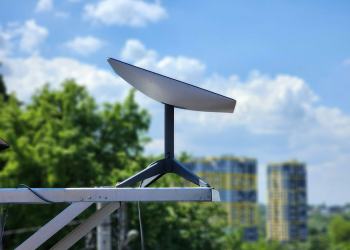
The Standard terminal is a phased array antenna that finds and tracks satellites electronically, with no rotating dish head. Its published numbers (see the table above) matter because they drive exactly three practical decisions: circuit sizing, mount selection and off-grid battery planning. Two details that are easy to miss until install day: the IP54 rating is a splash rating rather than an immersion or jet rating, so a panel sitting in standing water on a flat roof is outside spec; and the 15 m cable is proprietary, not interchangeable Ethernet, so replacements come from Starlink and the route has to be planned before anything is drilled.
How much power does Starlink use off-grid?
Use 65W average for a Standard terminal left powered around the clock — roughly 47 kWh a month. That single number is the one most off-grid buyers get wrong. A 100 Ah 12V battery bank holds on the order of 1.2 kWh of usable energy at a sensible depth of discharge, while a 65W continuous load consumes about 1.56 kWh per day on its own, before the router and before anything you actually want to power. In other words, a battery bank that comfortably runs lights and a laptop cannot run a Standard dish overnight without being sized specifically for it.
That arithmetic is also the honest basis for a claim you will see made loosely, including in our own earlier coverage: that the Mini is now the obvious choice for vans and cabins. We have no market-share data for van installs and are not aware of any published figures, so treat it as a reasoned view rather than a fact — a 20-40W load with a USB-C input removes the inverter and much of the daily energy demand from a 12V system, which is why it is the unit we would specify for that job and the one readers most often tell us they chose.
Throughput varies far more with the cell you sit in than with the hardware, and the same pattern appears across markets. For broader comparison, see our tracking of real-world Starlink speed tests and latency measurements, which shows the same Standard hardware performing very differently across congested and uncongested regions. If your neighbour gets 60 Mbps at 20:00 and you get 250 Mbps at 03:00 on identical hardware, the terminal is not the variable.
Why the obstruction check is not optional
The most common installation error is treating the obstruction scan as a formality. The app models a cone of sky, not a single point, and a branch that clears the dish in winter will not clear it in leaf. Mount height buys margin; a 30-second scan does not. Scan in the season with the most foliage, and if you cannot, add height to cover the difference.
Starlink High Performance terminal: enterprise and mobility specs
The High Performance terminal is a larger, more heavily sealed phased array aimed at commercial sites, maritime use and vehicles. Power, sealing, cable length and field of view are in the table above. What those numbers buy you:
- Wider field of view. The flat mobility unit’s roughly 140-degree view against the Standard panel’s 100 degrees keeps more satellites in play at low elevation angles. That is the decisive advantage on vessels, in steep valleys, and in cells where the best-positioned satellite is frequently near the horizon. Exact figures have moved between spec-sheet revisions, so read the SKU page for the unit you are buying; the direction of the advantage has never changed.
- Higher gain. SpaceX markets this as a double-digit percentage throughput advantage in congested cells and poor weather. That is a vendor claim, not an independently measured benchmark, and the real-world gain scales with how bad your cell is to start with.
- IP56 sealing. Protection against powerful water jets rather than simple splashing — the meaningful difference on a deck or a wash-down industrial roof.
- Thermal headroom and stronger snow melt. The reason it survives roof-mounted desert installs that make a Standard panel throttle.
Can I use High Performance on a moving vehicle?
Only the Flat High Performance variant, introduced in November 2022, is designed and certified for in-motion use. The fixed High Performance unit is a stationary installation. Using it in motion without the correct mount and service plan falls outside the terms of service — which also means outside the warranty, and in most jurisdictions outside the terms of the earth-station-in-motion authorisation the service relies on.
Is High Performance worth the extra cost?
Run it as a five-year total cost, not a spec comparison. The hardware premium is several times the Standard terminal’s price; the service tier it requires is priced above Residential; the power difference alone adds about 47 kWh a month over a Standard unit, which is roughly $8 at the 2026 US average of ~17c/kWh and closer to €13 across much of Western Europe; and the heavier panel usually forces a stronger mast and a professional install. Stack those and the answer is straightforward. It is worth it when downtime carries a contractual price — clinics, fishing vessels, broadcast trucks, mine sites, emergency operations centres — or when the site itself is the problem: obstructed to the north, roasting on a dark flat roof, or inside a cell SpaceX has flagged as capacity-constrained. That is precisely why emergency responders standardise on it, as documented in our coverage of Starlink disaster relief deployments with High Performance terminals. For a suburban house on a clear lot, the money is better spent on a taller mast.
Starlink Roam and Mini: portable satellite internet options
The RV terminal — now marketed under the Roam banner in most markets — is the same hardware as the Standard dish. What differs is the service agreement, not the antenna.
Roam / RV
- Identical hardware to the Standard terminal, including power draw and IP54 sealing.
- The plan permits address changes without re-registering hardware, which is the entire point of the tier.
- Service is deprioritised against fixed residential users in congested cells, so peak-hour speeds can differ sharply from a home plan running the same dish.
- Stationary use only unless you add an in-motion capable terminal and the matching plan.
Mini
- Size and weight: roughly 29 x 26 x 4 cm at 1.1 kg for the panel, consistent with the dimensions and mass recorded in its FCC equipment authorization file (FCC ID 2A3G4-UT), which is the primary public document for this unit.
- Power: 20-40W published, with a USB-C input that makes power-bank and 12V vehicle operation straightforward and removes the inverter from the chain.
- Router: integrated, which deletes the separate router box and its second power draw from the kit.
- Aiming: manual, no motors. The built-in kickstand sets a fixed tilt and orientation is set by hand with the app’s alignment tool.
- Sealing: IP67, the highest rating in the range and appropriate for a unit designed to be left on wet ground.
Serious van installs generally feed the Mini from the vehicle’s 12V system rather than from a battery brick.
Is Starlink Mini a separate service plan?
The hardware is a separate purchase and cannot be swapped into an existing subscription as a downgrade. In most markets it attaches to a Roam or Mini-specific plan, with country-by-country variation in naming and data allowance. Cross-border travellers should read the roaming terms before assuming continuity — our guide to Starlink for digital nomads: portable internet across borders covers where continuous international use is and is not permitted, and where it quietly stops working after a set period abroad.
Phased array technology: how Starlink terminals work without moving parts
A phased array antenna is a flat panel of many small radiating elements whose signals are individually delayed in phase, so the combined beam can be steered electronically rather than by physically pointing the antenna. That single design choice explains most of Starlink’s hardware behaviour — its price, its power draw, its heat, and its immunity to the mechanical failures that plagued earlier steerable satellite internet dishes.
- Electronic beam steering across the published field of view in the table above, handled entirely in software.
- Sub-millisecond beam re-forming during satellite handover is the design intent described in SpaceX’s own technical presentations and FCC filings. The user-visible result is that handovers do not drop a video call, even though they happen constantly.
- No gimbal or rotating feed in the signal path, so there are no bearings, belts or motors to wear out. Where motors exist on older units they only set the initial physical tilt, then stop for the life of the install.
- Self-heating elements embedded in the panel melt snow and ice, at the cost of a power spike toward the peak figure.
How many antenna elements does a Starlink dish have?
SpaceX does not publish a figure, so no precise count should be stated as specification. Independent teardowns of the Gen 1 round dish reported on the order of 1,280 individual antenna elements, and larger counts have been inferred for later rectangular panels from die photographs and board analysis rather than from any datasheet. The 4,096 figure that circulates widely for the current Standard terminal is a community estimate of that kind, repeated often enough to look official; it is not confirmed by SpaceX. Nothing about your purchase decision depends on the number.
How does Starlink track satellites without moving?
Low-Earth-orbit satellites cross the visible sky in minutes, so the terminal continuously recomputes which satellite to talk to and re-forms its beam toward the next one before the current link degrades. Handovers are scheduled against the constellation’s known ephemeris rather than discovered by trial and error, and the scheduling gets easier as the shell fills out — which is why Starlink satellite constellation orbital mechanics and launch cadence feed directly into terminal performance in a way they never did for geostationary services. Regulators treat these panels as earth stations, and as earth stations in motion where applicable: European conformity is assessed against ETSI satellite earth station standards, and US authorisation is recorded in the FCC equipment authorization database, which is the most reliable public source for physical and RF parameters when the marketing page is vague.
Environmental resilience: heat, cold, wind and rain
Temperature limits are in the table above and are identical across the current line-up. What differs in the field is how each climate stresses the install, and one widely repeated wind figure is worth disposing of first.
Wind ratings and what actually fails first
SpaceX’s published environmental specifications list operating wind speeds in the region of 80-96 km/h (50-60 mph) and survival ratings of roughly 96-128 km/h (60-80 mph), varying by model. A 280 km/h (175 mph) survival figure circulates in forums, resellers’ copy and aggregated spec pages; we can find no support for it in any SpaceX-published specification and it should not be used for design. If you are installing in a hurricane or cyclone zone, design to the published rating, and plan to lower or remove the panel ahead of a named storm. In practice the panel is rarely the failure point — the mount, the fixings or the roof material go first, because published wind ratings assume the terminal is properly secured to a rigid structure.
Snow, ice and the January power problem
Snow-melt heating activates automatically in near-freezing conditions when moisture is detected, rather than on a fixed schedule, so draw rises with the weather rather than with the calendar. Owners in deep-freeze conditions routinely report sustained consumption close to the peak figure during clearing cycles — owner-reported rather than published. Size the off-grid system for the January case or accept an outage; there is no third option, and no firmware setting that makes snow melt cheaper.
Heat, thermal throttling and roof mounting
Thermal throttling is the dominant real-world failure mode reported in equatorial and desert markets, and the configuration owners report it in most often is a panel lying flat on dark metal with no airflow beneath it. The remedy is cheap regardless. Raise it, leave a gap of at least 10-15 cm, and keep the underside ventilated. Dust is the secondary concern: IP5X-level sealing keeps fine particulate from interfering with operation, but abrasion of the radome surface over years is a genuine maintenance item in desert deployments.
Rain fade
Heavy rain causes rain fade in the Ku band and will reduce throughput during a downpour. That is physics common to all satellite internet in these bands, not a hardware defect, and it typically resolves within minutes of the cell passing. If throughput does not recover once the rain stops, the problem is obstruction or congestion, not weather.
Starlink availability and waitlists: satellite internet capacity is sold by the cell
Buying the right terminal is only half the decision; the other half is whether SpaceX will sell you service at your address at all, and at what price.
Starlink allocates capacity geographically, dividing service areas into cells and selling against the capacity available in each one. The availability map marks a cell as available, waitlisted or sold out, and two addresses a few kilometres apart can sit on opposite sides of that line. This is the mechanism behind almost every pricing anomaly readers write in about:
- Capacity-rich cells — typically rural, thinly subscribed areas — see aggressive hardware discounting, refurbished stock, and periodic offers that bundle free or near-free hardware with a service commitment.
- Capacity-constrained cells — dense suburbs and popular regions — hold list price, sometimes add a one-time demand or congestion charge, and may close new residential sign-ups entirely while continuing to sell mobility plans.
- Waitlisted cells open up as satellites, gateways and ground infrastructure come online. A waitlist is a queue, not a rejection.
The operational lesson holds regardless of where you are: a price or availability status quoted from anywhere other than your own address tells you nothing.
Why national licensing still matters
Regulation sits underneath all of this: a licence has to exist before a cell can be sold at all, and licensing timelines explain why neighbouring countries can be years apart on launch. We track that process in our coverage of Starlink regulatory approvals in European Union member states, where market-by-market approval has driven both service availability and the rollout of hardware rental offers. The practical instruction is unglamorous: enter your exact service address on the Starlink map and shop page before committing to any hardware decision, and re-check if you were quoted a price from another country, another region, or an article more than a few weeks old. Terminal specifications are global. Terminal pricing and availability are not.
Starlink price history and 2026 hardware costs
Starlink hardware pricing has been the most volatile part of the product, and the swings are deliberate demand management rather than drift. The tables below are compiled from SpaceX announcements, shop pages and contemporaneous reporting for the United States market. We do not operate a proprietary price-tracking dataset, so each historical row carries the source type and a route by which you can verify it yourself — in most cases an Internet Archive snapshot of the relevant Starlink page for that month. Where no snapshot exists, treat the row as reported rather than confirmed.
Announced US price changes (one-time hardware cost)
| Date | Price (USD) | Context | Source type and how to verify |
|---|---|---|---|
| November 2020 | $499 | “Better Than Nothing” beta launch price, Gen 1 round dish | Starlink beta invitation email and public order page; reported across technology press at launch. Verify: Internet Archive snapshot of starlink.com/orders, November 2020. |
| March 2022 | $599 | Increase attributed to inflation and component costs | SpaceX email to customers and order-page change; widely reported the same week. Verify: archived starlink.com order page, March 2022, and the customer email text reproduced in contemporaneous coverage. |
| September 2023 | $299 | Limited-time promotion in selected US regions, not a global list price | Regional shop-page pricing and promotional email; consumer-press coverage at the time. Verify: archived regional shop page for a qualifying address, September 2023. Confidence: moderate — regional promotions are poorly archived. |
| June 2024 | $599 | Starlink Mini introduction price at launch | Mini product page and in-app offer at rollout; reported at launch. Verify: archived Starlink Mini product page, June-July 2024. |
Two cautions on reading that table. First, promotional prices were often address-gated even when reported as national, so a headline number from 2023 may never have been available at your address. Second, prices outside the United States have moved on separate schedules, in local currency, with VAT treatment that differs by market; converting a US figure is not a substitute for loading your own shop page.
Situational pricing (what your address decides)
| Context | Price (USD) | Source type |
|---|---|---|
| Refurbished Standard terminal, where the programme is offered | $249 | Starlink refurbished shop listing; availability intermittent and address-gated. |
| Capacity-rich cell, promotional kit | $0-$299, usually tied to a service commitment | Live shop-page offers; varies by cell and month. |
| Capacity-constrained cell | Full list price, sometimes plus a one-time congestion or demand charge | Live shop-page checkout; the surcharge is disclosed at order. |
Rental, bundles and financing (recurring or conditional)
| Context | Cost structure | Status |
|---|---|---|
| Hardware rental — began as a Germany-only pilot, since extended to further European markets, set per country | ≈$15 equivalent per month, on top of service | Reported; national list changes without notice and must be confirmed on your shop page. |
| Bundled hardware — selected markets and cells, offered intermittently | Discounted or free kit against a 12-month service commitment, with an early-termination charge | Live offer terms, disclosed at checkout. |
| Third-party instalments — a small number of countries with partner distribution | Credit agreement with a retail or telecom partner, not with SpaceX | Partner terms; not a SpaceX product. |
How much does Starlink hardware cost in 2026?
There is no single global number, which is why the tables above are split: a one-time purchase price, a monthly rental fee and a bundled-with-commitment price are three different financial products and cannot be compared in one column. Pricing is geolocated to your service address. In capacity-rich cells SpaceX routinely discounts hardware heavily — sometimes to zero against a 12-month commitment — while constrained cells stay at full price. Check the shop page with your actual address entered, and read what a discounted kit obliges you to in return, because the early-termination charge is where the discount lives.
Cost per gigabyte: the number that decides your plan
Take hardware out of it and two running costs remain. Electricity, from the table above: a Standard terminal on 24/7 costs about $8 a month at 17c/kWh, about $14 at 30c/kWh, and materially more in a winter with regular snow-melt cycles. Data is the bigger lever. At a typical US unlimited residential price near $120 a month, a household pulling 500 GB pays about $0.24/GB and one pulling 1.2 TB about $0.10/GB, while a 50 GB Roam plan at $50 works out at $1.00/GB if you consume every gigabyte and far worse if you do not. That gap is the single strongest argument against running a travel plan as a permanent home connection, and it is why heavy-usage households rarely regret the unlimited tier even at full price.
Upgrade paths: from Standard to High Performance or Mini
Can I upgrade my Starlink dish?
Functionally yes, commercially no — you buy new hardware. As of September 2026 we are aware of no official trade-in programme in any market, and none is listed in Starlink’s support documentation.
- Gen 1 round dishes: unsupported, no warranty service, and no path to convert the account to current hardware without a purchase.
- Gen 2 Standard terminals: can be sold or transferred with the account in most markets, which is what sustains the secondary market. Verify the unit is not still tied to an active subscription before buying used; a locked terminal cannot be activated by the new owner.
- Moving to High Performance: requires activating the corresponding service tier, not merely plugging the dish in. Plan and hardware are matched, and the mount usually has to be upgraded with them.
- Adding a Mini: a separate purchase on its own plan in most markets, not a downgrade route from a Residential subscription.
The sequence that works for an existing owner who starts travelling
Keep the home terminal and subscription, add a Mini for the road, and pause the mobile plan in the months you are not moving. That is usually cheaper than converting a single account back and forth, it avoids surrendering a waitlist-protected residential slot in a constrained cell, and it leaves the house online while you are away. The failure case readers report to us most often is the opposite order: cancelling Residential to go travelling, then finding the home cell closed to new sign-ups on return.
Installation requirements: power, mounting and clear sky view
Three requirements account for most first-week failures: inadequate power, an unsuitable mount, and an obstructed view.
Power
The supplied power unit accepts standard 100-240V AC mains at 50-60 Hz. Provision a dedicated outlet rather than the end of a daisy-chained extension. Do not run a Standard terminal through an undersized inverter — the snow-melt surge toward peak draw is what trips marginal setups, not the idle load. For vehicles and off-grid cabins, the Mini’s USB-C input avoids the inverter entirely, which is a structural advantage rather than a marginal one; at a published 20-40W it is a load a modest 12V system absorbs without complaint.
Mounting
- The pipe adapter accepts poles roughly 34 mm to 54 mm in diameter. Measure before buying a mast.
- Respect the cable lengths in the table above: 15 m on Standard, 23 m on High Performance. The cable is proprietary; plan the route before drilling.
- Mount rigidly to a structural element, not to fascia or a thin panel. The published wind ratings assume it.
- Follow local electrical codes for bonding and grounding of the mast and cable entry. In the United States, antenna installations are commonly assessed under NEC Article 810, which covers grounding conductors and bonding for radio and television equipment. Code editions and local amendments differ, so confirm the applicable clause with a licensed electrician in your jurisdiction rather than relying on a citation in an article.
Clear sky view
The obstruction checker in the Starlink app needs an unobstructed cone of roughly 100 degrees to certify a spot on a Standard terminal. Anything opaque to Ku-band radio blocks it: tree canopy, chimneys, parapets, neighbouring roofs, and — frequently overlooked — the vehicle or building the terminal sits on. Glass and thin plastic degrade the signal; metal blocks it outright, which is why a panel placed inside a conservatory or under a metal awning fails in ways that look exactly like a hardware fault. Scan in the season with the most foliage, not the least, and prefer a mount that puts the panel above the roofline rather than beside it.
Before you order: an eight-point pre-purchase checklist
Each item below exists because skipping it produces a specific, common and expensive failure. Work through them in order before payment.
- Enter the exact service address, not the town, and screenshot the result. Prevents: buying against a price or availability status that does not apply to your cell.
- Run the app’s obstruction check from the proposed mount position, in the leafiest month you can manage. The check works before you own a terminal. Prevents: a certified spot in February that fails in June.
- Measure the cable run from mount to router position and compare it against 15 m (Standard) or 23 m (High Performance). Prevents: a proprietary cable that is two metres short after the hole is drilled.
- Measure the pole you intend to use: 34-54 mm outside diameter for the pipe adapter. Prevents: a mast that needs shimming or replacing on install day.
- Size power for the worst month, not the average. 65W planning average for a Standard terminal, peaks near 100W during snow melt; 20-40W on a Mini. Prevents: an inverter or battery bank that works in July and browns out in January.
- Match plan to hardware before you buy. In-motion use requires the Flat High Performance unit and a mobility plan; a Mini sits on its own plan; High Performance requires its own tier. Prevents: hardware that cannot be activated the way you intended to use it.
- Read what a discounted or free kit obliges you to. Find the commitment length and the early-termination charge before accepting the offer. Prevents: a “free” terminal that costs more over twelve months than buying outright.
- Record the delivery date, note the return window, and — if buying used — confirm the serial is not tied to an active account. Prevents: a warranty clock you cannot evidence, a missed return window, and a locked second-hand terminal that can never be activated.
About this article: author, method, limitations and version history
By John Kufa, editor, Starlink News. Covering LEO satellite broadband since 2021, with a focus on user-terminal hardware, FCC and ETSI filings, and market-by-market pricing and availability. Corrections, source requests and spec-sheet discrepancies: editor@starlink-news.com.
How this was sourced. Specifications are taken from Starlink’s official support documentation, specification pages and subscriber terms of service; from FCC equipment authorization filings (including FCC ID 2A3G4-UT for the Mini terminal); from ETSI satellite earth station standards referenced for European conformity; and from published independent teardowns for internal details SpaceX does not disclose. Pricing history is compiled from SpaceX announcements, shop pages and contemporaneous reporting for the US market, with the source type and a verification route given per row. We do not operate a proprietary price-tracking dataset and make no claim to one.
Figures we treat as unconfirmed, and why. Cold-weather power draw is described as owner-reported rather than published. The 4,096 radiating-element count widely quoted for the Standard terminal is a community estimate, not a SpaceX specification. The 280 km/h (175 mph) wind survival figure circulating on reseller and aggregator pages is unsupported by any published SpaceX specification we can locate and should not be used for design. Resale values for used Minis and Standard dishes are given as impressions from classified listings because no dataset we trust exists. The current national list of markets offering hardware rental, exact field-of-view figures by SKU revision, and national grounding code references are stated as reported and should be confirmed locally. Hardware prices are geolocated and must be confirmed against starlink.com for your service address before procurement.
Version history. v1.0 — 19 September 2026, first publication. This is the article’s initial version; no prior version has been published, and nothing above is a correction to earlier work. Future revisions will be logged here with the date, the specific figure or section changed, and the source that prompted the change, so that returning readers can see what moved and why. Specifications, prices and availability in this class of product change on the vendor’s schedule rather than ours, and we expect this page to be revised several times a year.
Frequently Asked Questions
How do I tell whether my cell is congested enough to justify a High Performance terminal?
Measure before you spend: if your 19:00-22:00 median speed falls to roughly a quarter of your 02:00-05:00 median and your obstruction log is clean, you are sharing a congested cell. Run a scheduled speed test every 30 minutes for seven days on your existing Standard terminal to get those two medians. If evening throughput holds above roughly 60 percent of the overnight figure, the cell is not your bottleneck and a bigger panel will not fix anything. Note what High Performance actually buys in a congested cell: a wider field of view and higher gain that help at low elevation angles, not extra capacity in the cell itself. Two cheaper tests come first — re-run the obstruction check in full foliage, and raise the panel a metre.
What actually fails in extreme heat or cold, and does the warranty cover it?
Neither extreme usually kills the panel: heat makes the terminal throttle or cycle off to protect itself, and cold makes it draw far more power for snow melt. The heat case is recoverable and almost always cured by airflow under the panel rather than by replacement. The cold case fails electrically rather than thermally — snow-melt heating pushes draw toward the peak figure and browns out undersized inverters, thin DC runs and marginal solar banks, so the power system fails, not the dish. On coverage, Starlink’s published limited warranty for consumer kits has run 12 months from delivery in the United States, while buyers in the EU and EEA also hold the statutory two-year conformity right against the seller. Damage traced to an inadequate mount, a lightning strike or an out-of-spec power source is normally excluded.
Does a Starlink Mini hold its value, and can it replace a Standard dish at home?
As a household’s only terminal the Mini works in narrow cases only — one or two users, a small cabin, or an off-grid site where low draw and USB-C input decide the whole design. The smaller aperture, manual aiming and integrated router cap both throughput and Wi-Fi coverage in a normal three-bedroom house. On resale we have no dataset and will not pretend otherwise: the impression from scanning classified listings is that clean second-hand Minis hold price better than used Standard dishes, but that is an unquantified observation, not a figure you should plan around. One hard rule if you buy used: confirm the serial is not still attached to an active subscription, because a terminal locked to another account cannot be activated and is effectively scrap.
Can I upgrade my old round Starlink dish to the new rectangular model?
No — there is no official trade-in or upgrade programme as of September 2026, so the route is to buy a current terminal and retire the old one. Gen 1 round dishes are out of production and out of warranty service, cannot be re-registered as new hardware, and share no cable, power supply or router connector with Gen 2, which means the old accessories have no resale value to current owners either. Before you order, check the two things that change your price more than any spec difference between the panels: whether your address currently shows a hardware promotion or refurbished stock, and whether your local shop page lists a rental option.
Does Starlink offer hardware rental or financing options?
Rental exists in parts of Europe at roughly the equivalent of $15 per month, but availability is set per country and can change without notice, so it must be confirmed on the shop page for your exact service address. The option began as a Germany-only pilot and has since appeared in further European markets. Several markets run the equivalent play as a bundle instead: discounted or free hardware against a 12-month service commitment, with an early-termination charge that amortises the kit. True instalment financing, where it exists, comes from retail or telecom partners in-country rather than from SpaceX, and the credit agreement is with that partner.
Can I activate a Roam plan at an address where Residential is waitlisted?
In most markets yes, because Roam traffic is deprioritised against fixed subscribers and so does not consume the protected capacity the waitlist exists to ration. The trade-off is exactly that deprioritisation: expect the sharpest speed drop in the same 19:00-22:00 window that made the cell constrained in the first place. Treat it as a bridge rather than a permanent answer, keep checking the availability map, and switch to Residential the moment the cell opens. A waitlisted cell is a queue rather than a rejection, and capacity does improve as satellites and gateways come online.
Should I use the Starlink router or bring my own?
Use the supplied router first, prove the link is healthy for a week, then change one variable. The app’s obstruction log, outage history and ping statistics are collected through Starlink’s own networking stack, so replacing the router on day one removes your best diagnostic tool during the exact week most problems appear. Once the link is stable, bypass mode on the Standard kit lets you run any third-party router, which is the right move for large houses, VLANs, mesh systems or VPN-heavy setups. The Mini is the exception: its router is integrated and cannot be removed, so the practical pattern there is to leave it in place and hang your own access point off it.

![How Satellite Internet Works: LEO vs GEO Explained [2026]](https://starlink-news.com/wp-content/uploads/2026/09/how-satellite-internet-works-leo-vs-geo-explained-12cf2847-350x250.png)




![Using Your Own Router with Starlink: Bypass Mode [2026]](https://starlink-news.com/wp-content/uploads/2026/09/using-your-own-router-with-starlink-bypass-mode-20-f6c09f95-120x86.png)