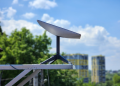
Satellite internet is the default answer on most farms for a blunt reason: there is no fibre at the gate and cellular dies past the shelter belt. A Starlink dish with a clear view of the sky typically returns 25–220 Mbps download, 5–20 Mbps upload and 20–40 ms latency — enough for cloud farm-management platforms, live camera feeds, remote machine diagnostics and video calls in places where geostationary satellite’s 600 ms-plus round trip makes the same work painful or impossible.
What satellite internet does not solve is cost per megabit, congestion in a busy cell, or the geometry of a large holding. One dish covers one building cluster. Getting a usable signal to a pump house 1.5 km away is a separate network project with its own budget line, and it is where most farm installs run over. So this guide is arranged the way the decision actually gets made on a working property: four qualifying questions first, then a worked build, the plumbing that breaks, the power maths, the true first-year cost, the seasonal reliability picture, and the cases where something other than satellite is the right call.
Four questions that decide whether satellite internet fits your farm
Answer these in order, before any pricing conversation. Each has a cheap test that takes under an hour.
- Can anything terrestrial see your yard? Test: ask a regional wireless ISP for a signal survey from your roof, and walk your own SIM around the yard at 7 p.m. on a weekday. If a tower is genuinely in sight, fixed wireless is usually cheaper and just as responsive.
- Is there a mountable point with clear sky? Test: run the obstruction checker in the Starlink app from the exact proposed mount height and aiming direction — generally north in the northern hemisphere, generally south in the southern. If the only clear spot is a vibrating grain leg, the install is already a maintenance problem.
- Is your real constraint upload rather than download? Test: count always-on cloud cameras and multiply by 2–5 Mbps. If the total exceeds 8 Mbps, you are choosing a plan on upload, and the headline download figure is irrelevant to you.
- How far does the network have to reach past the dish? Test: measure, on a map, from the proposed dish to the furthest device that needs internet. Under 100 m is a Wi-Fi problem; 100 m to 5 km is a bridge problem; beyond that, it is a second site.
A farm that answers no terrestrial option, clear sky, modest upload, one cluster is the textbook case and should simply order. Every other combination has a design decision attached, and the rest of this guide covers them.
Scale and speed, honestly sourced
Definition: Starlink is SpaceX’s low Earth orbit (LEO) satellite internet service. Because its satellites fly a few hundred kilometres up rather than at the ~35,786 km of geostationary orbit, the signal round trip falls to roughly 20–40 ms — the single technical fact that makes interactive work (video calls, remote desktop, live camera review, machine telemetry) behave like a terrestrial link.
On scale, use only what SpaceX has said itself: four million customers announced in September 2024, five million in early 2025. Larger totals circulating in 2026 trade coverage are third-party estimates. In any case the global number does not affect your farm — the load in your particular cell does, and that is measured at your address, not in a press release.
On speed, Starlink’s residential marketing has cited “up to 400+ Mbps in most places.” That is a best case. The benchmark worth planning against is Ookla’s Speedtest Intelligence research, which draws on millions of consumer-initiated tests and consistently reports Starlink country medians nearer 100 Mbps, with wide variation by market, cell and hour of day. We have deliberately not cited forum threads or crowd-posted speed logs here: they are self-selected, unweighted and skew toward both complaints and showcase results. One methodologically transparent dataset beats a dozen anecdotes. Plan the farm on the median, and treat anything above it as a good week.
Rural rollouts in agricultural economies show the same pattern. The deployment we covered in Starlink’s rural rollout in Zambia: connectivity in an agricultural economy was transformative not because peak speeds were high, but because latency finally allowed interactive work where nothing terrestrial reached.
What the link actually has to carry, by type of operation
Farm connectivity requirements diverge sharply by enterprise, and the constraint is almost never download. Dairy and irrigated horticulture hit upload ceilings because they are camera- and sensor-dense around a small footprint. Broadacre cropping and extensive grazing hit distance and seasonality instead.
| Operation type | Heaviest traffic | Peak demand period | Plan that usually fits | Main gotcha |
|---|---|---|---|---|
| Dairy / intensive livestock | Continuous cameras, parlour and feed-system telemetry | Calving and kidding season, 24/7 | Priority tier or disciplined local recording | Upload saturation from always-on cameras |
| Broadacre cropping | Map and as-applied file sync, firmware updates, drone imagery | Planting, spraying, harvest | Residential, upgraded seasonally if offered | Bursty multi-gigabyte uploads at the worst time of year |
| Irrigated horticulture | Pivot and valve control, soil-moisture probes, packhouse systems | Irrigation season, daily | Residential plus local fail-safe controllers | Anything safety-critical must survive a dropout |
| Extensive grazing / ranch | Water and tank telemetry, gate and trough cameras, voice | Dry season water checks | Mini at outstations, Standard at the homestead | Distance: kilometres between the dish and the devices |
| Multi-site agribusiness | Site-to-site file movement, ERP and compliance portals | Continuous | Business-grade with managed support | Needs routable addressing and an SLA, not consumer terms |
Translated into raw numbers, the picture is reassuring on bandwidth and interesting on latency. Every mainstream cloud farm platform fits comfortably inside a median Starlink link; only camera upload and photogrammetry press against a ceiling.
| Farm workload | Typical bandwidth | Latency sensitivity | Comfortable on Starlink? |
|---|---|---|---|
| Cloud farm-management sync (Operations Center, FieldView, Trimble Ag) | 5–25 Mbps | Low | Yes |
| RTK / NTRIP correction stream | Under ~50 kbps per rover | Very high | Yes, with the addressing caveat below |
| Drone imagery upload (one flight, RGB or multispectral) | 2–10 GB per job | Low | Yes — queue it off-peak |
| IP camera, continuous cloud recording | 2–5 Mbps upload each | Medium | Only a few at a time |
| Remote machine diagnostics / dealer session | 1–5 Mbps | High | Yes |
| Machine software and firmware updates in the field | Burst, 1–20 GB | Low | Yes |
| Voice and agronomy video calls | 0.1–4 Mbps | High | Yes |
The practical reversal is worth stating plainly: on legacy geostationary satellite, farms had adequate megabits and unusable latency. On LEO they have both. The machinery industry has priced that in — Deere’s January 2024 announcement of an agreement with SpaceX to bring Starlink connectivity to machines in the field, beginning in the United States and Brazil, is an open admission that cellular coverage maps and cropland maps do not overlap.
Worked example: what a real build looks like on paper
The two scenarios below are illustrative worked examples, constructed from the published prices and specifications used throughout this guide. They are not customer case studies, and no farm was surveyed to produce them. They exist because generic ranges are useless at the point where you have to write a cheque.
Scenario A — a 220-cow dairy, temperate maritime climate (Ireland / Tasmania / Pacific Northwest profile)
Layout: milking parlour and office in one yard, calving shed 600 m up the lane, water pump and header tank 2.1 km out on a hill with no mains power. Existing connectivity: 4G that works at the house and nowhere else. Enterprise constraint: calving checks between 11 p.m. and 4 a.m., plus a co-op portal that must accept milk-quality uploads daily.
Design decisions, in the order they were forced:
- One dish, not three. Standard kit on a braced 1.5 m mast on the parlour gable — the only point with clear southern sky above the tree line.
- Calving shed by bridge, not by second subscription. A point-to-point bridge pair over 600 m of clear line of sight costs about US$300 once, against US$1,440 a year for another dish on service.
- Eight cameras, but only 4 Mbps of upload. Six cameras in the parlour, collecting yard and calving pens, two at the tank. All eight record 4 MP locally to an NVR; each pushes a 0.5 Mbps substream and motion clips to the cloud. Total sustained upload: 4 Mbps, inside a 5–20 Mbps upstream with room for a video call.
- The pump house gets sensors, not internet. A LoRaWAN tank-level and pump-status node reaches 2.1 km on a battery and backhauls through the dish. No second dish, no second solar array, no second subscription.
- Cellular failover on the office router, because a dropout during a milk collection or a cold-store alarm is a trading event, not an inconvenience.
| Line item | Year-one cost |
|---|---|
| Standard kit | US$599 |
| Residential service, 12 months at ~US$120 | US$1,440 |
| Mast, mount, earthing | US$250 |
| Point-to-point bridge pair, yard to calving shed | US$300 |
| Shielded outdoor Ethernet and conduit, ~400 m at US$2/m | US$800 |
| Surge protectors, 6 ends at US$60 | US$360 |
| NVR, 2 TB | US$380 |
| 8 IP cameras at US$150 | US$1,200 |
| LoRaWAN gateway plus tank and pump nodes | US$250 |
| Year-one total (ex-labour, ex-tax) | ≈ US$5,580 |
| Year two onward | US$1,440 |
The number worth quoting: Starlink itself is 36% of the year-one spend on this build. The network around it is the other 64%. The payback argument is equally arithmetic — during a six-week calving block, three avoided night trips per week across a 6 km round trip, plus the checks that get done from a phone instead of not at all, is the line that carries the business case. Replace the distances with your own; the structure holds.
Scenario B — a 4,000 ha broadacre cropping farm, semi-arid (Western Australian Wheatbelt / Canadian Prairie / Free State profile)
Same dish, entirely different pressure. There are no always-on cameras, so upload is idle for ten months and then has to swallow 12–30 GB of as-applied files, prescription maps, drone orthomosaics and machine firmware across a three-week seeding window. The design answer is scheduling, not bandwidth: machines sync over yard Wi-Fi when they come in, firmware is pulled the week before the window opens rather than during it, and drone flights upload overnight after a local cull of duplicate frames. Residential service is sufficient. The only capital additions beyond the base kit are a high-gain outdoor access point covering the machinery shed apron — so a header parked at the fuel tank is on the network — and a spare Mini kit in the workshop as a harvest hot standby. Total year one: about US$2,900.
The plumbing that catches farms out: addressing, RTK and inbound connections
This is the section that separates a working precision-ag setup from an expensive one that almost works. Standard Starlink service issues carrier-grade NAT (CGNAT) addresses, which means your farm has no routable public IPv4 address. Outbound connections are unaffected; inbound ones fail.
What still works normally under CGNAT:
- Subscribing to a commercial NTRIP caster — the rover dials out, so correction streams arrive fine and the latency budget is generous relative to Starlink’s 20–40 ms.
- Every cloud platform, vendor app and telemetry service, because they all initiate outbound.
- Camera viewing through the manufacturer’s own cloud relay.
What breaks, and the four fixes:
- Hosting your own RTK base for machines or contractors to dial into. Fix with IPv6 if every rover supports it, a vendor cloud relay that brokers the connection, a private overlay or mesh VPN with a cloud rendezvous point, or a business-grade plan offering a public IP in your market.
- Port-forwarded NVRs and remote desktop into the farm office. Fix with an overlay VPN — it is also the more defensible security posture on an internet-exposed farm network.
- Legacy SCADA and irrigation controllers that expect to be polled from outside. Fix by inverting the flow: put a small local gateway on-farm that pushes data out to the platform.
- Site-to-site links between a home yard and a leased block on separate subscriptions. Fix with a cloud-brokered tunnel rather than trying to expose either end.
Settle this before you mount a base station on the grain leg, not after. The fix costs between nothing and modest; discovering the problem mid-season costs a week of guidance failures.
Imagery workflows
Photogrammetry is the one genuinely heavy agricultural workload, and it rides the slower upstream channel. A single multispectral flight over a large block can produce several gigabytes. Working practice on any asymmetric rural link is the same: cull duplicate frames before uploading, queue transfers overnight, process locally where the software supports it, and keep the raw set on a local drive so a failed upload is an inconvenience rather than a lost flight.
Getting the signal past the yard gate
Dish placement follows sky, not convenience. Current Standard kits ship with a long cable run — commonly around 150 ft (45 m), though kit contents have varied by hardware generation, so check the spec of the kit you are buying — and Starlink sells a 150 ft extension for longer runs. That is enough to lift a dish clear of a tree line or onto a roof peak while the router stays in the office. Everything past that is a local network build, solved the way wireless ISPs solve it:
- Same building cluster, under ~100 m: mesh nodes or a weatherproof outdoor access point on the shed wall.
- Yard to distant barn, 100 m – 5 km: a pair of outdoor point-to-point wireless bridges, clear line of sight, mounted high, aligned on a still day, each end surge-protected and earthed.
- Isolated pump house or paddock camera: a solar-powered node with a 4G/LTE-M sensor link, or a second Mini dish where the traffic justifies its own subscription.
- Low-data telemetry over long distances: LoRaWAN for tank levels, gate states and soil probes — kilometres of range on a battery, backhauled to the cloud through the dish.
Camera arithmetic, in one line
Multiply cameras by their cloud bitrate and compare with your upload, not your download. Four cameras at 3 Mbps each will consume a Residential upstream and leave nothing for a video call. The commercial-install answer is to record full resolution locally to an NVR or SD card, push only motion clips and a low-bitrate substream to the cloud, and cap each camera’s cloud bitrate in its own settings. Do that — as Scenario A does at 0.5 Mbps per camera — and a dozen cameras coexist with normal office use on one dish.
Off-grid power: sizing the node
Published consumption figures anchor any off-grid design: the Standard dish and router draw roughly 50–75 W average with peaks near 100 W, and the Mini roughly 20–40 W depending on load and temperature. Snow-melt heating pushes the Standard dish to the top of its range at exactly the time of year solar yield is lowest, so northern sites should size for 100 W, not 75 W.
The table is calculated from those published draw figures using the midpoint of each range — 75 W for the Standard unit, 30 W for the Mini — not from bench measurement. Size for 40 W if the Mini node also powers a bridge radio or a camera, and add 25% headroom anywhere with a genuine cloudy season.
| Hardware and duty cycle | Assumed average draw | Daily energy | Array at 4 peak-sun hours | Usable battery for one night |
|---|---|---|---|---|
| Standard dish + router, 24/7 | 75 W (range 50–75 W, peaks ~100 W) | ~1.8 kWh | ~600 W | ~2.0–2.5 kWh |
| Standard dish, daylight hours only (timer) | 75 W for 12 h | ~0.9 kWh | ~300 W | Minimal |
| Mini, 24/7 telemetry duty | 30 W (range 20–40 W) | ~0.72 kWh | ~250 W | ~1.0 kWh |
| Mini, 24/7 with a bridge radio and one camera | 40 W | ~0.96 kWh | ~320 W | ~1.2–1.5 kWh |
Two efficiency decisions determine real-world results. First, feeding a DC dish through an inverter from a DC battery bank throws away 10–20% in conversion, which is why direct-DC power kits are popular on off-grid installs; availability of any official DC option is market-dependent, so confirm it on the accessory listings before designing around it. Second, a scheduled overnight power-down halves the battery requirement on sites where nobody is online at 2 a.m. — a switch-mode timer on the supply is the cheapest capacity upgrade in the entire build. These are the same constraints documented at remote off-grid sites running on satellite internet, where uptime targets are stricter and the sizing discipline is worth copying.
The cost that matters: a whole build, not a subscription
Starlink prices are set regionally and revised often. Verify your own address on starlink.com and cross-check the regional tier structure against the independent tracker at starlinkprice.com, which logs list prices and changes by country. Indicative 2026 levels:
- Hardware: Standard kit around US$599; Mini kit around US$599; High Performance dish around US$2,500. Some markets have run roughly US$349 up-front with a monthly hardware fee, and regional promotions are common.
- Residential service: around US$120 per month at the standard tier. Deprioritised entry tiers have listed nearer US$55–80 per month in some regions — the bargain figures quoted by comparison sites usually refer to these.
- Business and priority tiers: roughly US$250–500 per month depending on the priority-data allowance, with higher upload and precedence during congestion.
- Tax treatment: US list prices are pre-tax; UK and EU list prices normally include VAT; Australian prices include GST. That alone can move a like-for-like comparison by 20%.
Set against the alternatives, satellite internet is rarely the cheapest option and frequently the only one. The deciding number in the fibre row is the construction quote, not the monthly rate.
| Option | Typical monthly | Up-front | Latency | Catch |
|---|---|---|---|---|
| Starlink Residential | ~US$120 (regional tiers from ~US$55) | ~US$599 hardware | 20–40 ms | Deprioritised at peak in busy cells; CGNAT |
| Starlink business / priority | ~US$250–500 | US$599–2,500 | 20–40 ms | Priority data metered by bucket |
| Fixed wireless (WISP or 5G home) | US$50–100 | Low or none | 10–40 ms | Needs line of sight to a tower; often unavailable |
| Fibre extension to the farm | US$50–100 once live | US$10,000–50,000+ per mile of build | Under 10 ms | The construction quote is the whole decision |
| Legacy GEO satellite (Viasat, HughesNet, Sky Muster-style) | US$80–150 | Low, often leased | 600 ms+ | Latency rules out interactive work |
The line items below are the ones missing from most first budgets. Figures marked † are single best-estimate planning numbers rather than ranges, so you can price a build without guessing where in a spread to land.
| Line item | Planning figure | Range actually quoted | Needed when |
|---|---|---|---|
| Standard kit | US$599 | US$349–599 (+ monthly fee in some markets) | Always |
| Residential service, 12 months | US$1,440 | US$660–1,440 by tier and region | Always |
| Mast, mount and earthing hardware † | US$250 | US$100–400 | Any roof or pole mount |
| Point-to-point bridge pair † | US$300 per link | US$150–400 | Each building beyond Wi-Fi range |
| Shielded outdoor Ethernet plus conduit † | US$2 per metre | US$1–3 | Every inter-building run |
| Ethernet surge protector † | US$60 per end | US$40–80 | Every inter-building run — non-negotiable |
| NVR with 2 TB storage † | US$380 | US$250–500 | Any camera install of three or more |
| IP camera, 4 MP outdoor PoE bullet † | US$150 each | US$80–250 | Per viewpoint |
| Off-grid node: 600 W solar, 2.4 kWh LiFePO4, controller † | US$1,300 | US$900–1,800 | Pump houses and outstations |
| Cellular failover router and SIM † | US$250 plus data | US$150–400 | Where a dropout stops trading or milking |
† Planning figures are the midpoints of list prices published in mid-2026 by mainstream network and security-hardware distributors for prosumer-grade equipment of the Ubiquiti, MikroTik, Reolink and Hikvision class, ex-tax and ex-labour. Starlink hardware and service figures come from Starlink’s own order pages, cross-checked against starlinkprice.com. Use them to size a budget, then replace each with a local quote before you commit.
A yard-plus-one-outbuilding build with cameras and a small solar node realistically totals US$3,500–7,000 in year one — Scenario A above sits at US$5,580 — of which the Starlink subscription is roughly a third.
The return case is easiest to defend where connectivity replaces driving. A single avoided 60 km round trip to reconcile a data card, or one dealer callout turned into a remote fault read, recovers a meaningful share of a month’s subscription. Livestock operations usually justify the whole build on calving and water-security cameras alone. Where the sums get tight is a small holding with adequate 4G at the house and no machine telemetry — there, satellite internet is a convenience, not an investment.
Before signing, check whether public money changes the alternative. In the United States, the FCC’s Rural Digital Opportunity Fund and the federal BEAD programme have funded terrestrial builds in exactly these census blocks, and award status has shifted repeatedly — confirm current standing at FCC.gov and with your state broadband office. Equivalent schemes exist elsewhere: UK gigabit vouchers and subsidy programmes, EU rural connectivity funding under national digital plans, and Australian regional connectivity grants. One phone call can reorder a ten-year cost picture.
A twelve-month reliability calendar
Farm connectivity fails seasonally, not randomly. Plan maintenance against the calendar rather than waiting for the outage.
- Spring, planting: heaviest file sync of the year. Verify machine Wi-Fi in the yard and pre-download firmware before the window opens, not during it.
- Early summer, growth: shelter belts and tree lines leaf out, and obstructions appear that were invisible in winter. Re-run the obstruction check annually in full leaf.
- Summer, storm season: rain fade costs minutes; lightning costs hardware. This is when unprotected inter-building Ethernet dies. Confirm surge protection and earthing before the first cell.
- Harvest: downtime is at its most expensive, so redundancy earns its keep. Larger operations keep a spare Mini kit and a battery pack in the workshop as a hot standby — the same rapid-restore logic behind rapid-restore connectivity after storms, applied to a combine instead of a disaster zone.
- Autumn: clean router vents of chaff and dust, check conduit for rodent damage, and re-torque mast fixings after a season of vibration.
- Winter: snow-melt mode raises power draw at the worst solar time of year, and wet snow and heavy cloud produce the year’s worst throughput. Off-grid nodes need their winter sizing checked, not their summer one.
One design rule underpins all of it: treat the link as a very good primary connection that can drop for seconds to minutes, and make anything safety-critical fail safe locally. Irrigation controllers, gate motors and cold-store alarms should hold their last instruction and alert by SMS over cellular when the link disappears, not depend on a live cloud session to keep functioning.
Installation realities in an agricultural environment
Self-installation is the norm and the kit is designed for it; professional installation is offered through authorised resellers and integrators in some markets only, so treat that as a regional question. The failure modes are predictable enough to design out:
- Obstructions beat weather. A silo, a shed roofline or a mature shelter belt clipping the field of view produces repeated short dropouts far more disruptive than rain. When the check fails, move up rather than sideways.
- Mounting. Grain legs and silo tops vibrate and are hostile to both alignment and maintenance access. A short braced mast on a shed gable, or a ground pole in open ground, is easier to service and easier to earth.
- Dust, chaff and pollen do not meaningfully attenuate the signal but will clog router vents in a workshop. Keep indoor gear in a sealed enclosure with a filtered vent.
- Rodents and stock. Unprotected cable at animal height is chewed cable. Conduit it.
- Lightning. Earth the mast and protect every long Ethernet run between buildings at both ends. This remains the single most common cause of hardware loss on farm networks.
When fixed wireless, fibre or cellular beats satellite
A good adviser talks farms out of satellite roughly a third of the time. The honest decision tree:
- Fixed wireless access. If a regional WISP or a 5G home-internet product genuinely reaches your yard, it is usually cheaper, comparably responsive, and less affected by heavy rain than Ku-band satellite. Named examples by market include Rise Broadband and the major carriers’ 5G home products in the United States, regional altnets in the UK, and fixed-wireless operators serving agricultural districts in Australia, Canada and Southern Africa. Insist on a signal survey, not a coverage map.
- LTE/5G with an external antenna. Carrier maps routinely overstate rural reality, so field test with the actual SIM at the actual location at the busiest hour. A directional roof antenna can turn one unusable bar into a workable 30–60 Mbps where a tower is within reach.
- Community and cooperative fibre. Electric cooperatives, municipalities and farmer-led projects keep reaching farm gates. If a build is funded and scheduled within 12–18 months, a short satellite contract as a bridge beats a capital commitment.
- Legacy GEO satellite. Choose Viasat, HughesNet or a national Sky Muster-style service only where Starlink is unavailable, waitlisted or hardware-constrained. The 600 ms-plus latency makes interactive guidance, video calls and remote desktop unpleasant at best.
- Other LEO constellations. Eutelsat OneWeb sells through enterprise distributors and suits multi-site agribusiness with managed-service needs more than single farms; Amazon’s LEO constellation remains early in commercial rollout, and price comparisons should wait for published consumer terms.
- Direct-to-cell satellite texting closes safety gaps for lone workers in dead zones, but it is messaging, not farm internet. Do not conflate the two.
Ordering, regulation and paperwork
- Check availability by address or plus code on starlink.com. Availability is decided cell by cell — a neighbour two valleys over may be served while your cell shows a waitlist or sold-out status.
- Confirm your country is authorised, from the regulator’s own register. Service requires a national telecom licence plus ITU spectrum coordination. The authoritative record is the regulator: the FCC’s IBFS and licensing databases in the United States, Ofcom’s register in the UK, the ACMA in Australia, Anatel’s published acts in Brazil, and the equivalent authority elsewhere. Several large markets remain pending, conditional or restricted, so check the register rather than the news coverage.
- Run the obstruction check from the intended mount point, using the app’s simulation mode, before the kit is paid for.
- Choose the plan on upload, not download. Camera-heavy and multi-user farms are the ones that benefit from a priority tier.
- Expect regional lead times. In well-supplied European and North American markets, kits have shipped within days to two or three weeks. Capacity-constrained cells — parts of Canada, the US Midwest at peak demand, and some fast-growing African and Asian markets — have carried multi-week waitlists or temporary sell-outs. Retail channels and authorised resellers sometimes hold stock when the web store does not.
- Keep the paperwork. If service, billing or advertised speeds go wrong, escalation is national: the FCC Consumer Complaint Center in the United States, Ofcom in the UK, the ACMA and TIO in Australia, and the relevant regulator or telecom ombudsman elsewhere.
Operations that shift gear between blocks, leased ground or seasonal camps should compare portable and roaming plan structures against a fixed-address subscription before ordering; the trade-offs are set out in Roam and weekly plans: how flexible Starlink service actually performs, and they apply directly to a harvest crew following the season.
How the figures in this guide were sourced
Rather than hedge every sentence, here is the sourcing in one place.
- Speeds and latency: Ookla Speedtest Intelligence country-level medians, in preference to marketing peaks or crowd-posted logs.
- Prices and plan tiers: Starlink’s own order and plan pages, cross-checked against the independent tracker starlinkprice.com.
- Power draw: Starlink’s published specifications for the Standard and Mini kits. Energy and array figures here are calculated from those specs at stated midpoints, not measured on a bench.
- Machinery connectivity: Deere’s own January 2024 announcement of the SpaceX agreement.
- Subscriber scale: SpaceX’s own milestone announcements only. Anything more precise circulating elsewhere is a third-party estimate.
- Regulatory status: national registers — FCC, Ofcom, ACMA, Anatel and equivalents.
- Third-party hardware: mid-2026 distributor list prices for prosumer networking and security equipment, ex-tax and ex-labour.
- Worked examples: constructed by the author from the figures above. They are illustrative models, explicitly not surveyed farms.
Bottom line: who should order and who should wait
Order now if your yard has no fixed-wireless line of sight, cellular is unreliable, and cloud platforms, cameras or remote diagnostics are already part of how the farm runs. At roughly US$120 a month against a five-figure fibre construction quote, the arithmetic is rarely close. Order the Mini if the site is off-grid and the workload is telemetry plus a few cameras. Order a priority tier if upload is the real constraint.
Wait if a funded fibre or cooperative build is scheduled within a year, if a local WISP can genuinely see your roof, or if your only real need is a signal at the house and 4G already delivers it.
And in every case, budget for the two-thirds the subscription does not cover: the bridges, conduit, surge protection, local recording and solar nodes that turn one dish into farm-wide coverage. The dish is the cheap part. The network is the project.
Last reviewed 27 September 2026. Update log — 27 Sep 2026: tightened title and meta; added two labelled illustrative build scenarios with itemised costings; replaced crowd-sourced speed references with a single benchmark source and linked it; linked the pricing tracker, Deere announcement and regulator sources directly; converted the widest hardware ranges into footnoted single planning figures; consolidated sourcing caveats into one methodology section. Pricing, availability and lead times are set regionally and change frequently — the authoritative source for your address is the Starlink availability checker, and regulatory status should be confirmed in your national regulator’s own register. Corrections and market-specific pricing updates are welcome and will be logged with dates.
Frequently Asked Questions
How much does a farm-wide Starlink setup cost in total, not just the subscription?
Budget roughly three times the subscription in year one. A yard-only install is hardware (about US$599 for a Standard kit in most markets) plus service (about US$120 per month at the standard Residential tier), so US$2,040 for twelve months. Add one outbuilding, cameras, surge protection and a small solar node and the realistic year-one total is US$3,500–7,000 excluding labour and tax. The worked dairy example in this guide lands at about US$5,600, of which Starlink itself is 36%. The build-cost table lists the line items most first quotes forget.
Does Starlink work with John Deere and other machine telemetry?
Yes. Deere announced an agreement with SpaceX in January 2024 to put Starlink connectivity on machines in the field, starting in the United States and Brazil. Two different setups exist: a factory or dealer-fitted machine terminal for live in-field connectivity, and an ordinary yard dish that machines sync to over Wi-Fi when they come home. Most farms start with the second, because yard sync covers map files, as-applied data and firmware for a fraction of the cost.
Will Starlink’s CGNAT break my RTK base station or remote camera access?
It breaks anything inbound, and nothing outbound. Standard Starlink service issues carrier-grade NAT addresses, so you have no routable public IPv4. Subscribing to a commercial NTRIP caster works perfectly — the rover dials out. Hosting your own RTK base for contractors to dial into does not, and neither does a port-forwarded NVR. The four fixes are IPv6 where every rover supports it, a vendor cloud relay, an overlay or mesh VPN with a cloud rendezvous point, or a business-grade plan that offers a public IP in your market. Decide this before you mount the base station.
How many dishes does a large farm need?
One per building cluster that a wireless bridge cannot reach. A single dish plus a pair of point-to-point bridges usually covers a yard and one outbuilding up to a few kilometres away on clear line of sight, at about US$300 for the bridge pair against US$1,440 a year for a second subscription. Add a second dish — often a Mini — only when terrain blocks the shot, or when the remote site must stay online while the main link is down.
Can I take the dish to a harvest camp or a leased block?
Yes, if you buy the right plan. Fixed-address service is tied to a service location; portable and roaming plan structures are built for gear that moves, and the Mini kit is the practical hardware for a ute, a camp trailer or a seasonal crew. Confirm whether your market permits in-motion use before mounting anything on a moving vehicle — that is licensed separately in several countries.
Do I need a business plan, or is Residential enough?
Decide on upload, not download. Residential carries cloud file sync, machine telemetry, a handful of locally recorded cameras and household use without strain. Move to a priority or business-grade tier when you run several always-on cloud cameras, many simultaneous users, or you need precedence during evening congestion in a busy cell. Some markets also sell a public IP option on business plans, which matters if you host anything inbound.
What actually stops Starlink working on a farm?
Obstructions, not weather. A silo, shed roofline or mature shelter belt clipping the field of view causes repeated short dropouts that are far more disruptive than a passing storm cell. The second most common failure is lightning taking out long Ethernet runs between buildings, which is why surge protection at both ends of every inter-building run is not optional. Rain fade costs you minutes; a bad mount costs you the season.
Follow Starlink News on Google. Make us a preferred source to see more of our reporting in Google search results.
![Using Your Own Router with Starlink: Bypass Mode [2026]](https://starlink-news.com/wp-content/uploads/2026/09/using-your-own-router-with-starlink-bypass-mode-20-f6c09f95-350x250.png)

![Starlink Satellite Internet for Aviation [2026 Price & Status]](https://starlink-news.com/wp-content/uploads/2026/09/starlink-satellite-internet-for-aviation-2026-pric-81baee60-120x86.png)