Two consumer-tech outlets have published walkthroughs of what the Starlink app can do once a satellite internet connection is already running. BGR set out five uses for the app on 10 November 2026, while Yahoo‘s tech section focused on 30 October 2026 on the app’s obstruction mapping tool and on what users do when a clear view of the sky is not available.
Key facts
- BGR lists the app’s main functions as checking speeds, troubleshooting connectivity, contacting support, scanning for obstructions before installation and monitoring a connection remotely.
- Yahoo says the obstruction tool uses the phone’s GPS sensors and camera to build a 3D map, colouring clear sky blue and obstructions red, and returning an obstruction percentage.
- BGR says the Advanced Speed Test adds two further measurements, Device to Internet and Device to Router, on top of the standard test.
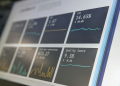
- BGR says the statistics section reports download and upload speed, latency, uptime, outages and alerts even when you are not connected to your own router.
- Yahoo says common fixes for a blocked view include moving the dish, trimming branches, mounting on a mast or using a TV antenna or telescoping tower.
Why it matters
Both outlets frame the app as the first place to look when a Starlink connection underperforms, before contacting support or buying hardware. BGR writes that the app’s “main goal is to give the user greater control over their internet setup,” and says its troubleshooting tools and system alerts can help identify possible causes without immediately requiring help from customer support. That matters for anyone installing a dish themselves rather than through a technician.
Obstruction mapping: two accounts of the same tool
The two reports describe the feature slightly differently. BGR calls it Check for Obstructions, says it uses the smartphone’s camera to scan the surrounding sky, and says you open the app, select the feature and follow the on-screen instructions to scan the proposed site. Yahoo describes reaching the camera screen by tapping Start Setup, and says the app prompts you to collect dots on the screen to cover gaps in the sky and build a full spatial rendition of obstructions.
According to BGR, the tool looks for trees, buildings, poles or other nearby objects that could interfere with the dish’s link to passing satellites. Yahoo names trees, portions of your roof and overhead power lines as examples, and says the app warns you if a spot is not a good one.
BGR adds practical method: scan several locations around the property, compare results, and hold the phone at roughly the height and position where the dish will be mounted for a more representative assessment. Yahoo says the scan must be done exactly where the dish is going. Both of those points apply equally to a fixed rooftop install and to the portable Starlink Mini 2.
Separating a Wi-Fi problem from a satellite problem
BGR says slow internet does not always mean the service is at fault, and that the satellite connection can be performing well while the router fails to deliver that performance to connected devices. The standard speed test measures the link between the Starlink router and the internet, returning download speed, upload speed and latency, BGR says.
The Advanced Speed Test then measures Device to Internet, from the phone running the app out to the internet, and Device to Router, between the phone and the Starlink router. BGR gives a worked example: if the standard test shows 100 Mbps download but connected devices get considerably less, running the advanced test may help identify Wi-Fi as the limiting factor. Router hardware is itself moving, after Starlink shipped its Wi-Fi 7 Router 4 to homes in the US and Canada.
Watching a site you are not at
BGR says the statistics section is useful for people who are not always at the location where the dish is installed, naming a vacation home or remote office as examples. If someone reports a problem, you can open the app and check the connection statistics before deciding what to do next, BGR says, and accounts managing multiple Starlink locations can switch between dishes.
BGR also advises watching statistics over several days rather than relying on a single speed test, so that recurring outages or consistently high latency show up.
Seeing what is on the network
The network section lists connected phones, tablets, laptops, gaming consoles, PCs, smart TVs and other devices, according to BGR. The outlet says that if several household members are streaming, downloading large files or gaming at the same time, available bandwidth is shared across those activities, generally causing slower speeds and reduced Wi-Fi performance.
Alerts before a support ticket
BGR says the app can display alerts covering obstructions, hardware issues, alignment issues, thermal issues and power interruptions, each with further information and recommended actions. A high-obstruction alert points back to the obstruction tool and the question of relocating the dish, BGR says; if the connection goes offline, the outlet recommends checking for alerts, inspecting power connections and power-cycling the equipment where appropriate. Support contact has itself changed recently, with Grok AI now fielding about 20,000 Starlink calls a day.
When there is no clear spot
Yahoo says the simplest fix is finding an open position with fewer blind spots and moving the dish there, such as from a balcony to a roof, but that users surrounded by trees sometimes have no good position. Options it lists include cutting only the branches the app flags as major contributors to blockage, or topping a tree, attaching a mast and mounting the dish there, work Yahoo says some users do themselves while many hire an arborist or a dedicated service such as StarlinkTree.
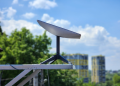
Elevating the dish above obstructions with a TV antenna tower or telescoping tower is another route, Yahoo says, describing these as sturdy and relatively inexpensive, especially used. Other antennas can share the same tower provided they do not obstruct the dish’s field of view, according to Yahoo.
Frequently Asked Questions
How do I reach Starlink customer support from inside the app?
BGR says the app provides access to Starlink customer support through your account. The outlet gives the path as Support > Messages > Contact Starlink Support, and advises submitting a request there if the app’s recommended troubleshooting steps do not resolve the issue.
Should I run the obstruction check again after the dish is already installed?
Yes. BGR says it is important to revisit the obstruction map after a few months, especially if the connection starts showing frequent interruptions, because tree branches may have grown, new objects may have appeared or debris may have built up on the dish.
What does the app’s Wi-Fi band information about a device actually tell me?
BGR says the app reports each client’s Wi-Fi signal strength and connection bandwidth. According to BGR, a device on the 5 GHz band will likely give higher speeds over shorter distances, while a device on the 2.4 GHz band gets better coverage through certain obstacles but less speed.
Which phones can run the obstruction mapping tool?
Yahoo says you simply download the Starlink app on Android or iOS, tap Start Setup and follow the on-screen steps until the camera screen appears. Yahoo adds that you must do the scan exactly where you plan to place the dish for the map to be accurate.