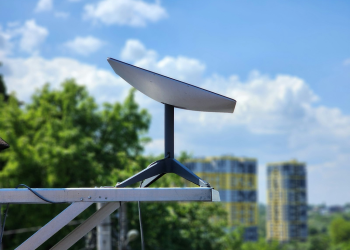
Starlink is fast enough and stable enough for full-time remote work in most licensed markets — provided you treat satellite internet as one leg of a two-leg connection rather than a single point of failure. Ookla’s Q1 2025 Speedtest Intelligence analysis, still the most widely cited independent global aggregate, put Starlink’s median download at 118 Mbps with a median upload near 13 Mbps, and national regulators running their own hardware-based measurement panels have reported the same order of magnitude. Starlink’s published specifications list 20–40 ms latency — several times better than the 600 ms-plus typical of geostationary satellite operators. That clears every documented requirement for Zoom, Microsoft Teams, cloud IDEs and remote desktop sessions with room to spare.
The honest trade-off is not speed. It is guaranteed availability. Residential Starlink carries no service level agreement, peak-hour congestion commonly shaves 15–25 percent off throughput, and one badly placed tree can cost several minutes of connectivity a day. This guide sets out the numbers a remote professional actually needs: bandwidth baselines, independently measured performance from two different methodologies, the Starlink availability and licensing rules that decide whether you can use the kit where you work, the current Starlink price in four currencies with tax treatment made explicit, and the redundancy setup most serious home-office users end up building. All figures were checked in September 2026 and every one is tied to a named source.
What Remote Work Actually Demands: Bandwidth, Latency and Uptime
Before evaluating any provider, fix the target. Remote work is not a bandwidth-hungry activity by modern standards — it is a consistency-hungry one.
Published conferencing minimums
- Zoom: the Zoom Support Center system requirements list roughly 3.0 Mbps up and down for HD group video, rising to about 3.8 Mbps for 1080p.
- Microsoft Teams: Microsoft’s Teams network guidance documents about 2.5 Mbps up and down for group video and roughly 4.0 Mbps for 1080p.
- Cloud desktops and VPN: encrypted tunnels typically add 10–15 percent overhead, and remote desktop protocols are latency-sensitive rather than throughput-sensitive.
Size the link on upload, not download
Add concurrency and the picture shifts. Two people on simultaneous 1080p calls, a laptop syncing to OneDrive or Google Drive, and a phone streaming music will draw roughly 12–15 Mbps upstream at peak. Upstream is almost always the binding constraint on satellite internet and fixed wireless, where download and upload capacity are deliberately asymmetric, so size the connection on upload and treat the headline download figure as marketing.
A practical test before you commit: run a speed test during your actual working hours, note the upload figure rather than the download, then run a ten-minute call and watch for dropped frames. A link that reports 150 Mbps down and 9 Mbps up will handle one 1080p call comfortably and struggle the moment a colleague joins from the same house while a 4 GB video renders to the cloud.
Latency and jitter budgets
The ITU-T G.114 recommendation treats one-way mouth-to-ear delay below 150 ms as acceptable for interactive conversation. Starlink’s low Earth orbit constellation operates at roughly 550 km altitude, which is why its round-trip latency sits at 20–40 ms rather than the 600 ms-plus imposed by the 35,786 km path to a geostationary satellite. That difference is audible: on a GEO link, participants talk over each other constantly; on a LEO link, conversation feels normal.
What uptime targets mean in minutes
- 99.9 percent uptime — about 43 minutes of outage per month.
- 99.5 percent uptime — about 3.6 hours per month.
- 99.0 percent uptime — about 7.3 hours per month.
Starlink publishes no uptime commitment on residential service, so these figures are a yardstick for your own tolerance rather than a promise from the operator. If your role involves client-facing calls with contractual penalties, plan against the 99.0 percent scenario and build redundancy to match.
Starlink Speed and Latency: What the Independent Data Shows
Starlink markets residential service as delivering up to 400+ Mbps in most places globally. Independent measurement gives a more useful planning number — and it is worth reading two independent sources, because they are built on different methods and fail in different ways.
Source one: crowdsourced global medians
Ookla’s Q1 2025 Speedtest Intelligence analysis of Starlink performance reported a global median download of 118 Mbps and a median upload of roughly 13 Mbps. Two caveats apply. First, these tests are user-initiated, which skews the sample towards people investigating a problem or showing off a good result. Second, the snapshot ages: the constellation and the subscriber base have both grown substantially since Q1 2025, which pulls in opposite directions, as more satellites add capacity while more subscribers consume it. Ookla refreshes Speedtest Intelligence continuously, so treat 118 Mbps as a dated conservative baseline (figure as published for Q1 2025, checked September 2026) and pull the current release for your own market before you plan around it.
Source two: regulator hardware panels
Regulator programmes measure differently. They install test hardware in volunteer households and sample continuously, including during the busy hour, which produces a less flattering but far more representative picture than self-selected tests. The ACCC’s Measuring Broadband Australia reports have included Starlink alongside fixed-line technologies, and recent editions have placed its busy-hour download performance broadly in the same three-figure band as Ookla’s global median, with latency measured in tens of milliseconds rather than the hundreds recorded for geostationary services — while also showing it trailing fiber on busy-hour consistency. The FCC’s Measuring Broadband America programme covers satellite service in the United States on the same whitebox principle. Because both programmes publish a new edition each year, the specific numbers move; the value is that the method is documented and the busy-hour result is the one that matters for work.
Where to check national figures yourself
- Australia: ACCC Measuring Broadband Australia — household hardware testing, busy-hour reporting, satellite included where sampled.
- United Kingdom: Ofcom’s Home Broadband Performance reporting and Connected Nations coverage data give the terrestrial baseline you should be comparing satellite internet against.
- United States: FCC Measuring Broadband America plus the National Broadband Map, which documents what is actually available and delivered at an address level.
- Global: Measurement Lab publishes open, downloadable test data if you want to interrogate the whole distribution rather than accept a median.
Indicative planning bands by market
The ranges below are planning bands anchored to published national medians as of September 2026, not guarantees and not the output of a controlled test by this site. Local cell load is the dominant variable, and two addresses in the same town can differ by a factor of three.
- Germany: broadly 95–140 Mbps download in daytime hours.
- Australia: broadly 80–150 Mbps, with wider variance in busy coastal cells.
- Rural United States: broadly 60–200 Mbps, driven almost entirely by how many subscribers share the local cell.
The peak-hour pattern that matters for work
Congestion in Starlink cells follows residential demand, so degradation typically lands between 18:00 and 23:00 local time, with a 15–25 percent reduction in throughput commonly reported. For anyone working standard business hours, that window falls mostly outside the working day. For remote workers on a timezone offset — a European developer serving US clients, for instance — the congested window is the working window, and that is the single strongest argument for the Business tier’s priority data allocation.
Jitter and bufferbloat: the metrics conferencing actually feels
Jitter, the variation between successive packet delays, typically runs 5–15 ms on Starlink, with occasional spikes above 50 ms during satellite handovers. Fiber usually holds jitter under 5 ms. This is why a Starlink call can look statistically excellent on a speed test yet produce a frozen frame every few minutes: the median is fine, the tail is not. Three fixes remove most of the visible symptom. Connect work devices by Ethernet instead of Wi-Fi. Enable smart queue management (SQM, CAKE or fq_codel) on your own router so a background upload cannot inflate latency for the call — bufferbloat under load, not raw jitter, is what most people are actually experiencing. And avoid stacking a VPN, a bonded tunnel and an aggressive QoS rule on top of a link that is already reordering packets, because each layer adds its own buffering.
Starlink Availability: Where the Satellite Internet Service Is Licensed and Usable
Speed is irrelevant if the service is not available at your address, and Starlink availability is decided at two independent levels: national licensing, and local cell capacity. Country-by-country status shifts often enough that it deserves its own running coverage — our Starlink availability coverage by country tracks launches, pauses and regulatory decisions as they happen.
National licensing comes first
SpaceX needs an authorisation from each national regulator before it can sell service: the FCC in the United States, Ofcom in the United Kingdom, the ACMA in Australia, the Bundesnetzagentur in Germany, and equivalents elsewhere. Those regulators, together with the ITU’s satellite filings database, are the authoritative record of status — country lists on blogs and forums go stale within weeks, and a market shown as live can in fact be pending approval or restricted to certain plan types.
Then local cell capacity
Within a licensed country, availability is granular. Starlink allocates capacity by cell, and a cell that is at capacity may show a waitlist, offer only certain plans, or quote a longer lead time than the town next door. This is why the only check worth trusting is entering your exact service address on Starlink’s own coverage and order page: it returns the plans actually offered there, the price for that market and the current dispatch estimate. Do that before you sign a lease on a rural office or promise a client you will be online from a remote site.
Cross-border use and the service address rule
Every account carries a registered service address in a licensed country. Roam plans permit travel away from it, and the terminal switches between regional coverage areas automatically, but persistent use in a country where the account is not licensed breaches the service terms and has been reported to end in termination. Grey-market imports — a kit bought in one market and used permanently in another without local authorisation — carry both account risk and, in some jurisdictions, regulatory exposure for the user. If your work involves moving the kit across borders regularly, the pauses, plan swaps and regional tiers are covered in detail in Starlink for Digital Nomads: Portable Internet Across Borders. The short version for remote workers: verify each destination on the coverage map immediately before travelling, and never build a client commitment around service whose status you last checked a month ago.
Starlink Price by Market: Hardware, Monthly Plans and VAT
Starlink lists hardware and subscription separately, and VAT treatment differs by market — a detail that quietly moves the comparison against local ISPs by around 20 percent. Every figure in this table is the rate publicly listed by Starlink for that market as of September 2026. It is a snapshot, not a fixed tariff: Starlink revises pricing, runs regional promotions and sets some rates cell by cell, so the table is here to show you the shape of the cost and the tax treatment, while the authoritative number is always the one your own address returns at checkout.
| Market | Standard kit (Sep 2026) | Residential monthly (Sep 2026) | First-year total | Three-year total | Tax treatment |
|---|---|---|---|---|---|
| United States | $599 | $120 | $2,039 | $4,919 | Sales tax excluded from listed price |
| Germany | €499 | €80 | €1,459 | €3,379 | 19% MwSt included |
| United Kingdom | £449 | £75 | £1,349 | £3,149 | 20% VAT included |
| Australia | A$759 | A$139 | A$2,427 | A$5,763 | GST included |
The three-year column is the one to take to a budget meeting, because it shows how quickly the subscription outweighs the hardware: after 36 months, hardware is 12 percent of US spend and 13 percent of UK spend. Changes to the Starlink price in any market are tracked in our Starlink price and plan updates, and the live figure for your cell is on Starlink’s order page.
Tiers beyond residential
- Business: listed at $250 per month in the US as of September 2026, adding priority data allocation, a public IP option and 24/7 support. For timezone-shifted workers whose calls fall inside the local congestion window — or anyone who needs inbound connections rather than carrier-grade NAT — this is where the extra spend earns its keep.
- Roam / Mobility: broadly $150–200 per month depending on region and tier, covering RV, marine and cross-border travel. Tier names and regional scopes have been revised more than once, so read the current plan page rather than an older comparison article.
- Lower-cost residential options: in cells with spare capacity, Starlink has at times offered discounted or usage-limited residential plans well below the standard rate. Availability is address-specific and these offers appear and disappear, so the only reliable way to see whether one exists for you is to run your address through the order page — third-party pricing trackers routinely quote offers that are no longer live in your cell.
The costs that are not on the plan page
A working remote-office setup is more than kit plus subscription. Budget a pole, ridge or non-penetrating mount plus weatherproofing at roughly $50–150; a dual-WAN router or small firewall appliance at $200–400 if you want automatic failover; a cellular backup line at $10–35 per month; and a portable power station at $300–600 if grid outages are part of your local reality. Professional installation, where partner installers operate, has been offered around the $200 mark. Together these commonly add 25–40 percent to a first-year total, and they are the difference between a consumer connection and one you can build client commitments on.
Lead times and the local ISP comparison
Standard kit shipping in covered markets has generally been reported at around one to two weeks during 2026, with longer waits in capacity-constrained regions; treat that as indicative and rely on the dispatch estimate shown at checkout for your own address, since it is the only figure tied to current stock. Against a named incumbent, the value case is entirely location-dependent: BT’s Fibre 2 product in the UK has advertised around 67 Mbps for roughly £35 per month, less than half Starlink’s £75 — but only where the fiber exists. Where the Openreach footprint stops, the comparison is no longer Starlink versus fiber; it is Starlink versus 4G tethering or nothing, and that is a different calculation entirely.
Starlink vs Fiber, 5G and Legacy Satellite Internet
The correct comparison set depends on what is physically available at your address. Here is how the main alternatives line up on the metrics that govern remote work, using published rates and specifications current in September 2026.
| Service | Download | Latency | Data policy | Monthly |
|---|---|---|---|---|
| Starlink Residential | 118 Mbps global median (Ookla, Q1 2025) | 20–40 ms | Deprioritisation at high usage; no hard cap | $120 US |
| Viasat | 12–100 Mbps | 600 ms+ | 40–150 GB soft caps, then deprioritised | $65–150 |
| HughesNet | Up to 25 Mbps | 600 ms+ | 15–100 GB caps | $65–175 |
| T-Mobile / Verizon 5G Home | 72–300 Mbps | 20–40 ms | Deprioritised behind mobile traffic | $50–70 |
Why legacy satellite internet fails the remote-work test
The 600 ms-plus latency of geostationary operators is the disqualifying number, not their speed. At that delay every conversational turn carries more than a second of round-trip lag, and interactive tools — SSH sessions, remote desktops, collaborative editors — become actively unpleasant to use. A 25 Mbps HughesNet connection will technically carry a 1080p Teams call and will still feel worse than a 15 Mbps LEO link. If you are choosing between satellite internet providers for work, latency is the first filter and throughput is the second.
5G home internet is the real rival where it reaches
Fixed wireless matches Starlink on latency, undercuts it substantially on price, and has no obstruction requirement. Its weakness is coverage: it depends on a nearby tower with backhaul capacity, which is exactly what rural addresses lack, and its traffic is deprioritised behind mobile customers when the cell is busy. The practical rule is to test 5G first if a reliable signal exists at your address — borrow a phone on that network and run a busy-hour test from the room you work in, not the window — and keep Starlink in mind as the diverse-path failover rather than the primary.
Where Starlink clearly wins
- No terrestrial infrastructure. Where the nearest fiber cabinet is kilometres away and copper delivers single-digit megabits, a three-figure median download changes what work is possible at all. This is the dominant global use case.
- Mobile and semi-permanent sites. No terrestrial ISP will install a line for a three-month stay; Roam covers vehicles, vessels and seasonal bases.
- Failover for a critical home office. Automatic switchover on consumer dual-WAN hardware is commonly measured at 2–5 seconds — brief enough that a Teams call reconnects rather than terminates — though the exact figure depends on your health-check interval and failure threshold, so measure it on your own router rather than trusting a datasheet.
Where fiber still wins outright
Symmetrical upload, sub-5 ms jitter, unaffected performance in heavy rain and snow, no obstruction requirement, a routable public address rather than carrier-grade NAT, and an enforceable contract with a national regulator behind it. If gigabit fiber reaches your address for less money, the technical argument for satellite as a primary link largely disappears — though Starlink remains a strong backup precisely because it fails independently of the terrestrial network.
Setup Requirements and Obstruction Management
More Starlink complaints trace to sky view than to the network. The dish tracks satellites across a wide arc, and anything intruding into that arc causes brief dropouts that land, inevitably, mid-sentence.
The 100-degree rule
Starlink’s documentation specifies roughly a 100-degree cone of unobstructed sky for consistent service. The Starlink app includes an augmented-reality obstruction checker that scans a candidate location and reports predicted interruption time before you mount anything. Running it from three or four possible positions is the single highest-value step in the whole installation, and it takes about ten minutes.
What obstructions cost in downtime
- Minor obstruction (a distant roofline, a thin branch): commonly 2–10 minutes of cumulative interruption per day, usually in seconds-long slices that show up as a frozen frame.
- Significant obstruction (mature trees, an adjacent building): 30 minutes or more per day, frequently during calls.
Deciduous trees create a seasonal trap worth planning around: a location validated in February can degrade sharply once leaves return in May. That is the origin of most of the it-worked-fine-until-spring reports that surface every year. The app’s obstruction history is the diagnostic — if your outage seconds are attributed to obstructions rather than the network, no plan upgrade will help and no support ticket will fix it.
Mounting, cabling and the Wi-Fi problem
Ground and pole mounts are simplest to adjust and easiest to service; roof and ridgeline mounts usually deliver the cleanest sky view but demand weatherproofing done properly. Self-installation is the default, and professional installation has been offered at around $200 in markets with partner installers — cheaper than the alternative if you are mounting above single-storey height without safe roof access. Run the dish cable before finalising the mount position, keep the router indoors and central, and connect work devices by Ethernet. A large share of Starlink-is-unreliable reports are ultimately Wi-Fi problems in a stone-walled rural house, not satellite problems, and they are diagnosable in five minutes by running the same call on a cabled laptop.
Building Reliability Without an SLA: Redundancy and Power
No residential Starlink plan carries a service level agreement. The Business tier adds priority data and 24/7 support but still does not guarantee uptime. Professional dependence therefore has to be engineered at your end.
Build a second path
The standard professional configuration is Starlink plus a 4G or 5G connection behind a dual-WAN router. Configure the health checks to probe two external hosts rather than the gateway alone, because the most common real-world failure is a link that stays up while passing no traffic, and a gateway-only check will never notice. For calls that must not drop at all, bonding rather than failover is the answer: Speedify and Peplink’s SpeedFusion aggregate both links simultaneously, so loss on one path is covered by the other, at the cost of a subscription and a little added latency. Plain failover changes your public IP address, which will drop VPN tunnels and long-lived SSH sessions even though a browser tab recovers silently. Test the failover deliberately — unplug the primary during a low-stakes call — because an untested failover is a theory, not a backup. And choose a second path that fails for different reasons than the first: another satellite dish is not redundancy, a cellular link on a different tower is.
Power backup arithmetic
Starlink hardware draws roughly 50–75 W in typical operation, with peaks above 100 W during snow melt or boot. Add a router and laptop and plan on about 90–110 W of continuous load. Usable watt-hours divided by that load gives runtime: a 500 Wh portable power station covers roughly four to five hours after inverter losses, and a 1,000 Wh unit covers eight to ten — enough to finish a working day through a regional outage. A small desktop UPS buys minutes, which is enough for a graceful shutdown but not for continuity. That independence from the grid and from local infrastructure is the same property that makes the technology useful in emergency deployments, as documented in Starlink in Disaster Relief: Hurricane and Conflict Zone Connectivity.
When only a contract will do
If a genuine SLA is non-negotiable — regulated financial work, clinical systems, anything with contractual penalties — satellite is the wrong primary link. The configuration that satisfies both the auditor and the geography is a business-grade terrestrial circuit with contractual service credits, with Starlink as the diverse-path backup. Before signing anything, check what the provider has actually committed to in writing: regulator and consumer bodies such as Ofcom, the ACCC and national consumer advice services publish guidance on what broadband service commitments do and do not oblige a provider to deliver.
How We Compiled This Guide
This guide was compiled and fact-checked in September 2026. Every figure above comes from one of four source types, and the type is named in the sentence where the figure appears: Starlink’s own published specifications, plan pages and service terms; Ookla’s Q1 2025 Speedtest Intelligence analysis of Starlink performance; national regulators and their broadband measurement programmes (FCC Measuring Broadband America, Ofcom Home Broadband Performance and Connected Nations, ACMA, Bundesnetzagentur, ACCC Measuring Broadband Australia) plus the ITU’s satellite filings and G.114 recommendation; and vendor documentation for conferencing requirements from Zoom and Microsoft. Where two independent measurement methods were available for the same claim — crowdsourced tests and regulator hardware panels — both are cited, because they carry different biases.
Three limitations are worth stating plainly. First, prices are the publicly listed rates for the four named markets as of September 2026 and are not verified against your service address — taxes, promotions and cell-specific plans all change the number you will actually pay, and the pricing table should be re-checked against the order page before it informs a budget. Second, the per-country speed figures are indicative planning bands derived from published medians, not controlled measurements conducted by this site; local cell load dominates, and your result may sit outside the band in either direction. Third, Starlink availability, plan structures and regional tiers change frequently enough that any article, including this one, should be treated as a framework for asking the right questions rather than a live price list. Where a claim could not be tied to a named source, it is not in this guide, and where a figure is imprecise by nature — shipping estimates, failover timings — it is presented as a reported range rather than a specification.
This guide is editorially independent, is not affiliated with or endorsed by SpaceX, and contains no affiliate links or referral commissions. If you find a figure here that no longer matches Starlink’s published pricing or a regulator’s current position, the source page named in that section takes precedence over this article, and our more Starlink guides and explainers carry the updated coverage.
The Bottom Line for Remote Professionals
Starlink clears the technical bar for remote work with room to spare: a median download comfortably in three figures on both crowdsourced and regulator-panel measurements, and 20–40 ms latency, against conferencing requirements of 3–4 Mbps and a 150 ms delay budget. The decision is therefore financial and situational rather than technical. At the September 2026 Starlink price — roughly $2,039 in the first US year, £1,349 in the UK or €1,459 in Germany, before the mount, backup line and power reserve that a working setup needs — it is expensive next to fiber that reaches your door and entirely reasonable next to no usable connection at all.
Three rules cover most cases. If fiber or reliable 5G is available at your address, take it and hold Starlink as the diverse-path backup. If neither is available, Starlink is currently the strongest satellite internet option for professional work outside urban footprints, and materially better than any geostationary alternative on latency — the one metric conferencing cares about most. And whichever link you choose as primary, budget for the second path and the power reserve, because the failure that ends a client relationship is never the slow connection; it is the one that is not there at all.
Frequently Asked Questions
What internet speed do I need for remote work with video calls?
Work it out by stacking, not by guessing. Vendor-documented upstream demand is roughly 1.0–1.2 Mbps for a 720p call, 3.0 Mbps for HD group video, 3.8–4.0 Mbps for 1080p, about 1.5 Mbps for a screen share and around 0.1 Mbps for voice-only. Add every stream that will run at once, then add 50 percent headroom for retransmissions and background sync: two 1080p callers plus one screen share plus a cloud backup lands near 12–15 Mbps upstream. To verify you have that headroom, start a 1080p call, then copy a 2 GB folder to your cloud drive while the call runs — if the other participant sees you freeze, your upstream, not your download, is the ceiling. Google Meet and Webex publish similar per-stream figures, so the arithmetic transfers to any conferencing platform.
Is Starlink reliable enough for daily Zoom and Microsoft Teams meetings?
For most subscribers in licensed markets it is, but reliability here is something you configure rather than something you receive. Four steps do most of the work. Open the Statistics screen in the Starlink app and read the outage log: it separates obstruction seconds from network seconds, which tells you whether to trim a tree or accept cell congestion. Put work devices on Ethernet and, if you use your own router, run Starlink’s hardware in bypass mode so you are not running two NAT layers and two Wi-Fi networks. Enable smart queue management (SQM or fq_codel) on that router to stop a background upload from inflating call latency. Finally, schedule anything unmissable outside the local evening congestion window. Subscribers who do all four rarely report call-quality problems; the ones who mount the dish under a roofline and connect over Wi-Fi from a stone-walled cottage reliably do.
Where is Starlink available, and how do I check availability at my address?
Do it in three checks, in order. First, confirm the country is licensed — the national regulator’s own register (the FCC, Ofcom, the ACMA, the Bundesnetzagentur and their equivalents) and the ITU’s satellite filings database are the authoritative record, and a market can be live for one plan type while another is still pending. Second, enter your exact street address, not your town, on Starlink’s coverage and order page: capacity is allocated cell by cell, so two homes eight kilometres apart can see different plans, different prices and a waitlist versus immediate dispatch. Third, if your cell is waitlisted, price a Roam plan as an interim measure, since Roam is often orderable where residential service is capped. Re-run the address check immediately before you commit to a lease or a client start date — results move within weeks, and third-party country lists go stale faster than that.
How much does Starlink cost for a full year of remote work?
Budget the working setup, not just the subscription. Take the hardware and monthly figures from the pricing table in this guide as your base, then add the items a professional installation actually needs: a pole or ridge mount and weatherproofing (roughly $50–150), a dual-WAN router if you want automatic failover ($200–400), a cellular backup SIM or fixed-wireless line ($10–35 per month), and a portable power station sized for your outages ($300–600). Those extras commonly add 25–40 percent to a first-year total. Over a three-year horizon the subscription dominates: at the rates listed in September 2026 that is about $4,919 in the US, £3,149 in the UK, €3,379 in Germany and A$5,763 in Australia for residential service, before tax where tax is excluded. Always confirm the current Starlink price for your own address on the order page, because cell-specific and promotional rates are common.
Can I use Starlink as a backup internet connection for my home office?
Yes, and it is one of the strongest use cases for satellite internet, because it fails for entirely different reasons than a terrestrial line. Set it up properly rather than plugging both links in and hoping. Use a dual-WAN router or firewall with health checks that ping two external targets (not just the gateway) at one-second intervals and fail over after three to five consecutive losses; gateway-only checks miss the most common failure, which is a link that is up but not passing traffic. Expect a failover to interrupt any session that is bound to your old IP address — corporate VPN tunnels and long-lived SSH sessions will drop even though the browser recovers — so if sessions must survive, use bonding (Speedify, or Peplink SpeedFusion on supported hardware) instead of failover. Then test it: unplug the primary mid-way through a low-stakes call, note what actually broke, and fix that before it matters.
Does Starlink work for digital nomads moving between countries?
Partly, and the constraints are administrative more than technical. Roam plans are built for travel and the terminal moves between regional coverage areas on its own, but the account still carries a registered service address in a licensed country, and prolonged use outside that country can breach the terms of service. Three practicalities catch travellers out. Customs: a dish crossing a border is imported hardware, and some jurisdictions treat unlicensed satellite terminals as regulated equipment rather than a laptop accessory. Power: a vehicle setup drawing 50–75 W continuously needs roughly 5–7 amp-hours per hour at 12 V, so a working day off-grid means a battery bank and charging plan, not a cigarette-lighter socket. Siting: you need an unobstructed view along the arc the dish tracks, which usually means parking clear of tree lines and re-checking the obstruction scan at every stop. Verify each destination on the coverage map and in the current terms before you travel.
What are the main disadvantages of using Starlink for professional remote work?
Five, in rough order of how often they bite. There is no uptime guarantee on residential plans, so no service credits when you miss a call. Obstructions from trees and rooflines cost minutes of connectivity a day and get worse when deciduous leaves return. Peak-hour congestion commonly trims a fifth off evening throughput. Upload sits well below fiber, which shows up in large media uploads and high-resolution screen sharing. Least discussed but most disruptive for technical workers: residential service is delivered behind carrier-grade NAT with a dynamic address, so inbound connections do not work — no port forwarding to a home lab, no self-hosted remote desktop, and some corporate VPN and SIP configurations need reconfiguring or a business plan with a public IP option. Heavy rain and extreme heat can also cause short throughput dips. None of these are disqualifying, but together they argue for a second connection if your income depends on being online.
Follow Starlink News on Google. Make us a preferred source to see more of our reporting in Google search results.
![How Satellite Internet Works: LEO vs GEO Explained [2026]](https://starlink-news.com/wp-content/uploads/2026/09/how-satellite-internet-works-leo-vs-geo-explained-12cf2847-350x250.png)
![Starlink for Farms: Rural Satellite Internet [2026]](https://starlink-news.com/wp-content/uploads/2026/09/starlink-for-farms-rural-satellite-internet-2026-599d2646-350x250.png)