A rural school buying satellite internet without a subsidy should budget roughly $2,880–$4,940 for year one — $599 for the Standard dish plus import duties, mounting, lightning protection and installation labour, then $90–$120 a month at US residential rates — and can expect 38–110 Mbps down, 8–20 Mbps up and 20–40 ms latency across most of rural Africa. Two facts change that arithmetic before you start: the Starlink price is set country by country, and several African markets have been priced well below the US tariff, with Kenya also offering a hardware-rental option that converts the up-front dish cost into a monthly fee. And there is no published Starlink education tariff anywhere in the world as of September 2026. The cheaper path for a school is therefore not a discount — it is a funding mechanism: a national universal service fund tender, or a donor scheme such as the UNICEF–ITU Giga initiative, which typically funds hardware plus the first two to three years of service.
This guide breaks down the numbers that decide whether a school connectivity project survives past its pilot: how to confirm Starlink availability and licence status before anything else, performance against local alternatives, which African programmes are actually funding installs, every cost line including power, the network you need behind the dish, what the bandwidth realistically supports in a classroom, and where deployments fail.
How to read the numbers in this guide. Every figure below falls into one of three categories, and they are labelled so you can treat them differently. Published specifications and tariffs (dish power draw, plan prices, platform bandwidth requirements) come from the vendor’s own documentation and are quoted with a link. Modelled or engineered values (solar sizing, rain-fade availability) are derived here from a named standard or dataset, with the arithmetic shown so you can re-run it for your site. Field planning bands (speeds, installation labour, replacement lead times) are ranges drawn from reported deployments; they are for sizing a budget envelope, never for writing into a contract. Where an announced programme target has not been verified against a published award list, it is flagged as such rather than repeated as fact. Prices, licences and programme targets in this market move monthly, so re-check anything you intend to put in a submitted budget on the day you submit it.
Why Schools Choose Starlink Over Local Options
Rural education connectivity usually breaks at the last mile, not the backbone. A district capital may sit on a fibre ring while a school 18 km away has one bar of 3G behind a hill. The International Telecommunication Union’s Facts and Figures 2024 puts rural Africa at the bottom of every coverage table it publishes: roughly a third of the rural population lives outside usable mobile broadband coverage, and a far larger share lives inside coverage without using it — what the ITU calls the “usage gap”. Check the current edition’s coverage table before quoting a precise percentage in a proposal, because the series is revised annually. And coverage on a regulator’s map is not the same thing as a usable signal inside a classroom with a metal roof.
Fibre rarely fixes this on school budgets. The Broadband Commission’s Connecting Africa Through Broadband costing work and the cost tables inside World Bank digital development appraisals put last-mile fibre in difficult terrain in a wide band — commonly $15,000 to $50,000 per kilometre, with the upper half of that range typical once trenching crosses rock or rivers, wayleaves have to be purchased and reinstatement is priced in. Both sources are public: the Broadband Commission report is on broadbandcommission.org, and the Project Appraisal Documents that contain country-specific unit costs are on the World Bank projects portal. Search your own country’s digital economy or connectivity project and read the cost table in the PAD rather than citing a round number from a news article. A school 10 km from the nearest point of presence is looking at a capital cost in the hundreds of thousands of dollars before a single student logs in. That arithmetic, more than any marketing claim, is why low Earth orbit satellite internet became the default option for remote schools.
How the options compare in practice
| Option | Typical speed | Latency | Indicative monthly cost |
|---|---|---|---|
| Starlink (rural Nigeria) | 45–110 Mbps down | 20–40 ms | Local naira residential tariff; revised upward more than once since launch |
| Starlink (rural Kenya) | 38–95 Mbps down | 20–40 ms | Local shilling residential tariff; hardware-rental option offered |
| Starlink (rural Malawi / Zambia) | 30–90 Mbps down | 20–40 ms | Local residential tariff; confirm on the country pricing page |
| MTN Nigeria 4G | 8–25 Mbps where covered | 40–90 ms | ≈$45 for a capped bundle |
| Safaricom Kenya 4G | 10–30 Mbps where covered | 40–90 ms | ≈KSh 3,000 for a capped bundle |
| Geostationary satellite internet (Ku-band VSAT) | ≈25 Mbps | 600 ms+ | ≈$65 with a volume cap |
These are field planning bands for sizing a budget, not service guarantees. The satellite speed figures are consistent with Ookla’s periodic satellite performance analyses published on ookla.com/articles and tracked in the Speedtest Global Index; the cellular figures assume a site inside coverage, which is precisely the assumption that fails at the schools that need this most. The cost column is deliberately non-numeric for the satellite rows because the Starlink price is a per-country tariff that has been revised in both directions in African markets — the country pricing page at starlink.com is the only authority, and in several African markets the local residential rate has sat well below the US figure used in this guide’s conservative year-one total. Run your own speed tests at the actual site and at the actual hour lessons happen.
The latency column is the one education planners underrate. At 600 ms or more, a geostationary link makes a live lesson with a remote teacher painful and turns interactive assessment platforms unreliable, even when the raw megabits look adequate — every keystroke, every answer submission and every TLS handshake pays the round-trip penalty twice. At 20–40 ms, a Starlink link behaves like a slow terrestrial connection, which is the threshold at which video conferencing, cloud exam platforms and collaborative documents become usable rather than merely technically possible.
Cellular still wins on cost where it genuinely reaches: an 8–25 Mbps 4G bundle at $45 a month is cheaper than satellite for a small school with a few administrative devices. The moment a school needs simultaneous classroom use, uncapped volume, or sits in a dead zone, the comparison inverts. The same pattern has played out in clinics and district offices across the region — the service-delivery case is documented in Starlink Powers Digital Transformation in Zambia’s Healthcare, where the operational constraints on a rural clinic map almost exactly onto those on a rural school: intermittent grid power, no on-site technician, and a single link carrying both service delivery and administration.
Checking Starlink Availability and Licence Status First
Before costing anything, settle two separate questions that are easy to conflate. Cell capacity determines whether a terminal can be activated at those coordinates today. Market authorisation determines whether the service is lawfully sold in the country at all.
For capacity, enter the school’s GPS coordinates — never the nearest town name — into the availability map at starlink.com/map. The map returns available, waitlist, or not yet served. Starlink availability at a waitlisted cell can take months to open, and a procurement schedule that assumes immediate activation because the district headquarters shows green is the most common way a school project slips an academic year. Where a cell is waitlisted, ask the in-country distributor whether business or priority plans are being activated in that cell, because prioritised service tiers are sometimes provisioned where residential is capped.
For authorisation, check the regulator’s public licensee register rather than a reseller’s website: the Communications Authority of Kenya, the Nigerian Communications Commission, or ZICTA in Zambia, each of which publishes a list of licensed operators and the licence category held. Several African regulators have run authorisation or licensing reviews affecting satellite operators since 2024, and a lapsed or contested authorisation can suspend a school’s service irrespective of what the coverage map shows. Record the register entry and the date you checked it in the project file; it is the evidence a finance committee will ask for when approving a multi-year commitment.
Government and Donor-Funded Programmes in Africa
Almost every low-cost school deployment in Africa runs through one of two funding mechanisms: a universal service fund levied on telecom operators and administered by the national regulator, or a multilateral donor programme. Both pay the supplier directly; neither hands cash to the school.
Universal service funds
Universal service funds collect a percentage of licensed operator revenue and redistribute it to unserved areas through competitive tenders. Historically these lots went to mobile network operators for tower builds. Since 2024 several regulators have allowed satellite providers into the same lots, which is what opened the door for schools.
- Kenya: the Communications Authority of Kenya administers the Universal Service Fund and publishes programme scope, tender notices and award lists in the Universal Service Fund and Tenders sections of its site, plus an annual USF report. Figures circulating for the number of public institutions in the current USF connectivity cycle — commonly quoted in the order of 1,000-plus — are announced programme scope, not verified against a published award list. Open the CAK tender notice or USF Annual Report, cite it by its published title and date, and use the institution count that document states.
- Nigeria: the Universal Service Provision Fund announced a school connectivity pilot in December 2024 placing Starlink terminals at a small number of schools in Kaduna and Plateau states. That is an announcement, not a delivery record; the USPF projects and interventions pages are where contracted work appears. Nigerian awards are state-by-state and lot-by-lot, so coverage in one state says nothing about another, and a pilot in two states is not a national programme.
- Zambia: Starlink received market authorisation in March 2024, and the Smart Zambia agenda under the Ministry of Technology and Science has publicly targeted connectivity for hundreds of schools in its first phase. Targets announced at launch events are political commitments rather than procurement records — treat the number as unverified until it appears in a ministry implementation report, and confirm current licence status against the ZICTA licensee register.
Donor and multilateral programmes
Giga, run jointly by UNICEF and the ITU, describes its mission as connecting “every school to the Internet, and every young person to information, opportunity and choice.” Its value to a planner is not the slogan but the data: Giga publishes country dashboards at giga.global/countries, with the underlying school mapping layer at projectconnect.unicef.org, showing mapped schools and measured connectivity status per country. Quote the dashboard figure together with the date you retrieved it — that single habit does more for a proposal’s credibility than any secondary news citation.
- Rwanda — Giga: the programme’s announced goal was to connect several hundred schools (widely reported as 500) with Starlink by the end of 2025, with government covering hardware and a multi-year service commitment. That target date has now passed. Treat 500 as the announced goal, unverified against a current completion list, and take the actual figure from the Giga Rwanda country dashboard or the Ministry of ICT and Innovation’s own reporting before it goes anywhere near a funding paper.
- Malawi — Digital Malawi Program: the World Bank-financed programme includes satellite among last-mile options for rural schools and public institutions. Search “Digital Malawi” on the World Bank projects portal and read two documents: the Project Appraisal Document, which states what is financed and at what unit cost, and the latest Implementation Status and Results Report, which states what has disbursed and what has actually been procured. The gap between those two documents is usually the most useful thing a planner can read.
- What a package typically covers: Giga-style awards commonly fund the $599 hardware plus 24–36 months of service. Universal-service-fund awards vary by lot and sometimes cover hardware only, leaving the school with the monthly bill from month one. Read the award terms before you plan the budget — and see Limits, Risks and Sustainability Planning below for what happens when the cover expires.
True Cost Per School: Hardware, Service and Hidden Extras
Starlink’s own pricing is simple. Everything around it is not, and the surrounding costs routinely equal or exceed the dish price in rural deployments.
| Line item | Typical cost | Notes |
|---|---|---|
| Standard hardware (Dish v4) | $599 (US reference) | Local price varies; some markets offer rental. Plus shipping and import duty, which must be confirmed against the national customs schedule |
| Residential service | $90–$120/month (US reference) | Unlimited volume; deprioritisation applies at high usage. Several African tariffs sit below this |
| Business / Priority service | $250–$500/month | Prioritised data allocation, public IP option, higher throughput under congestion |
| Mounting pole or roof mount | $50–$150 | Non-penetrating mounts cost more on corrugated roofs |
| Lightning and surge protection | $100–$300 | Not optional on exposed rural sites |
| Installation labour | $100–$400 | Roof access and height drive the range |
| Solar and battery (off-grid) | $800–$2,500 | Depends on school size, sun hours and hours of operation required |
| School LAN (router, 2–4 APs, cabling) | $250–$900 | Frequently omitted from donor budgets entirely |
Unsubsidised first-year total: roughly $1,800–$3,500 in hardware and setup plus $1,080–$1,440 in service, giving $2,880–$4,940. That envelope uses US reference pricing deliberately, so it errs high; where the local tariff and a hardware-rental option are cheaper, year one lands below it, which is the right direction for a budget to be wrong in. From year two onward, a single-dish school on the residential plan runs at about $1,100–$1,500 a year before maintenance, spares and a battery sinking fund.
The Starlink price a school can actually defend on paper
Because no institutional tariff exists, the price you can defend in a budget is the one you have in writing. Start from the two official pages — the country pricing page at starlink.com and the plan comparison for institutional users at starlink.com/business — then request a dated quote from Starlink business sales or an authorised in-country distributor stating: unit hardware price in local currency, applicable VAT and import duty, monthly plan and plan name, activation or account-transfer terms for an institutional account, committed replacement/RMA lead time, and validity period of the quote. Multi-site programmes should also ask whether the distributor offers volume terms. Where schools have obtained better economics, it has come from distributor-level bulk agreements or regulator-led bulk procurement, not from a published education rate.
One recurring planning error is buying residential service for a school and then discovering the network deprioritises the site during congested hours. Business and Priority plans buy prioritised data rather than a bigger headline speed, and the business plan pages set out the allocation tiers. Prioritised data is worth paying for at a 300-student school running morning lessons over video; it is usually not worth $250-plus a month at a 60-pupil primary school that mainly needs registration uploads, teacher research and termly content downloads. Decide this from your pilot’s measured peak-hour data, not from the brochure.
Power, Equipment and Physical Installation
Power, not bandwidth, decides feasibility at off-grid schools. Starlink’s published specifications list average power draw by hardware generation — broadly 50–75W typical and 100–150W peak for the standard dish, with peaks driven by the heaters and thermal management that keep the phased array working in snow or extreme heat. Read the figure for your exact model; it differs between generations. At an average 70W, continuous operation is about 1.7 kWh a day, or roughly 600 kWh a year — modest for a grid-connected school, significant for a solar system originally sized for a few lights and a phone charger.
Sizing solar and batteries — and why the “200W panel” rule is wrong
The rule of thumb circulating in installer forums is a 200W panel and a 200Ah battery. Run the arithmetic against the published draw and it only holds for part-time operation:
- 24-hour operation: 1.7 kWh/day ÷ (5 peak sun hours × 0.7 system efficiency) ≈ 500–600W of panel. Overnight autonomy of roughly 0.7–0.8 kWh needs about 200Ah at 12V in lead-acid at 50% depth of discharge, or 100–150Ah in LiFePO4. Add a further day or two of battery where cloud cover is persistent. Validate the peak sun hours for your exact coordinates against the World Bank’s Global Solar Atlas rather than assuming five.
- School-hours operation (07:00–17:00): about 0.7 kWh/day, which a 200–250W array with a modest battery buffer genuinely does cover. This is the configuration the 200W rule of thumb actually describes — it cuts consumption by roughly 60%, at the cost of losing overnight content syncs, which is exactly when an offline content cache should be pulling updates. Decide this deliberately; do not let it happen by accident when the battery dies at 20:00.
- Inverters and protection: the router tolerates modified sine wave, but pure sine wave is recommended, and surge protection is essential where a generator starts and stops under load. Earth the mount properly: a strike through an ungrounded pole takes out the dish, the router and often the school’s switch in one event, and that is a three-line replacement bill against a $40 earthing kit.
- Battery replacement: size the array and bank with the understanding that the batteries are consumables on a three-to-five-year cycle, and put that replacement in the business case now (see the year-three cliff below).
Mounting and siting
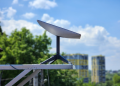
The included tripod is a ground-level solution and works where the school has a secure, fenced yard. On the corrugated metal roofs typical of rural African schools, a J-mount or a non-penetrating ballasted mount avoids puncturing the sheeting and creating leaks in the rainy season. The dish needs a clear cone of sky — Starlink’s specifications state the field of view for each hardware generation, broadly in the 100–110 degree range — and in school settings the two most common blockers are mature shade trees planted deliberately over play areas and a taller adjacent block. Run the obstruction check in the Starlink app from the exact proposed mounting point, not from the middle of the yard, and re-run it after the rains when canopy growth has changed the picture.
Cable length also constrains siting. The standard run is 15 m, a 45 m extension is available, and keeping total runs under roughly 75 m keeps degradation minimal — enough to place the dish on a high water tower or classroom block while keeping the router in a lockable office. That lockable office matters: theft and cable vandalism are more frequent causes of downtime at rural schools than any satellite-side fault. Conduit the cable wherever it is reachable from ground level, fit a tamper-resistant enclosure at the mount, and record the terminal’s serial number and account credentials with the district education office as well as with the head teacher, so a staff transfer does not orphan the account.
Designing the School Network Behind the Dish
A surprising number of installs deliver 90 Mbps to a single router in a locked office and 0 Mbps to any classroom. The dish is one component of a school network, and the rest is rarely in the donor budget.
- Coverage: two to four ceiling or wall-mounted access points, cabled with outdoor-rated Cat6 and powered over Ethernet, will cover a typical single-storey block far better than repeating the Starlink router’s own Wi-Fi through mesh nodes down a corridor. Each repeat hop roughly halves available throughput.
- Segmentation: put administration and the school’s finance or records machines on a separate VLAN or SSID from student devices. This is basic, cheap and the single best protection against a student-device malware incident taking out the registrar.
- Filtering and fair use: DNS-level filtering plus a simple per-device rate limit stops one tablet’s background OS update from consuming the morning’s capacity. Cap per-client throughput at a fraction of the link rather than trying to police usage manually, and schedule device updates for the overnight window.
- Local cache first: put the offline content server on the LAN from day one so the default path for curriculum content never touches the satellite link.
- Monitoring: log daily peak throughput and outage minutes from the router’s own counters. A one-page monthly record is what turns “the internet is slow” into an evidence-backed case for a second dish or a priority plan at the next budget round — and it is the only site-specific availability statistic anyone can defend.
What Schools Actually Do With Starlink: Use Cases and Bandwidth
Translating megabits into classrooms is arithmetic, and the inputs are published by the platforms themselves rather than left to rules of thumb. Zoom’s system requirements documentation (support.zoom.com) lists group video calling at roughly 2.6 Mbps down and 1.8 Mbps up per participant at 720p, and 3.8 Mbps down and 3.0 Mbps up at 1080p; Google Meet publishes comparable ideal-bandwidth figures in its own help centre. Apply those to a 45 Mbps down / 10 Mbps up link:
- Receiving video: 45 ÷ 2.6 ≈ 17 students receiving 720p, or 10–12 at 1080p. This is the number most planners quote, and it is the easy direction.
- Sending video: 10 ÷ 1.8 ≈ 5 students sending 720p camera video simultaneously — 4–8 across the 8–20 Mbps upload band. Upload, not download, is what caps a two-way lesson, and no brochure figure will tell you this.
- Projector-led lessons: a 30-student classroom watching one 1080p stream on a projector consumes about 3.8 Mbps in total, not 30 times that. Shared display is the single cheapest bandwidth decision a school can make.
- Curriculum downloads: 1 GB is 8,000 megabits, so a curriculum package lands in roughly 1.5–3 minutes at 45–110 Mbps, and 9–13 minutes at a congested-morning 10–15 Mbps. That is the difference between updating content termly and never updating it at all.
- Browsing, quizzes, admin: bursty and cheap; 60–100 devices doing text-based work rarely saturate the link, because the traffic is short requests separated by reading time.
- Teacher development and reporting: often the highest-value traffic and the smallest, and the reason a school’s link is worth funding even before student devices arrive.
Reported experience from larger low-cost school networks in Kenya is consistent with that maths: a 300-student campus typically runs two dishes, sees heaviest demand between 06:00 and 11:00, and drops to around 15 Mbps during heavy rain — still usable for text and audio, marginal for full-class video.
Where it breaks, and the cheapest fix
Upload is the first wall. At 8–20 Mbps up, a class of 30 students submitting 200 MB video assignments will queue for a long time — 6 GB of coursework at 15 Mbps is roughly an hour of saturated uplink — and simultaneous two-way video for an entire computer lab is not realistic on a single dish. There is no hard volume cap on residential service, but sustained heavy use leads to deprioritisation during congested periods, which schools experience as a slow morning rather than a cut-off.
The highest-return fix is not more bandwidth — it is an offline content server. Kolibri, whose documentation is explicitly written for low- and no-connectivity deployments, RACHEL and similar local caches hold curriculum, video and assessment content on a Raspberry Pi or small server on the school LAN. The saving is arithmetic you can do for your own content mix: a 500 MB lesson video watched once by each of six classes costs 3 GB over the satellite link, or 500 MB if it is fetched once overnight and served locally — an 83% reduction on that item alone. Measure the real figure from your router’s byte counters before and after, because it depends entirely on how much of your content is reused. A $150 cache plus a fetch-overnight schedule often delivers more usable classroom capacity than upgrading to a $250-a-month business plan.
Limits, Risks and Sustainability Planning
Honest risk assessment is what separates a school connectivity project that lasts from one that produces a ribbon-cutting photograph and a dead dish 30 months later.
Weather and availability
Rain fade is real but usually short, and it degrades in stages — lower resolution, then buffering, then brief dropouts — rather than failing outright for a day. The engineering basis for predicting it is ITU-R Recommendation P.618, which sets out the rain-attenuation prediction method for earth-space links, used together with the rainfall-rate maps in ITU-R P.837. Run against those inputs, a Ku-band site in a high-rainfall tropical zone models out at materially lower link availability than identical hardware in a dry climate — which is exactly why a single global availability percentage is not a number you should put in a proposal. Starlink’s own service documentation states that heavy rain and snow can affect performance, without publishing a per-site availability figure, and no operator offers a consumer SLA.
The defensible approach for a school is therefore to model, then measure: ask the distributor or a satellite engineer for the P.618 availability estimate at your coordinates, then log actual outage minutes from the first day of the pilot. For teaching, seasonal degradation is tolerable; for a timed national online examination it is not, which is why schools with digital assessment obligations keep a 4G line as fallback and negotiate an offline or extended window with the examination authority in advance. The same resilience logic that governs emergency deployments applies here — the field practice is documented in Starlink’s Hurricane Response: Emergency Connectivity When Networks Fail.
Hardware, support and spares
There is no published hardware SLA for African markets, and reported replacement lead times vary by country and by distributor. The only lead time worth planning against is the one your distributor is willing to write into the quote, so ask for it explicitly and hold them to it. Diagnostics run through the Starlink app, which a trained teacher can manage; physical repair generally means a return-to-depot cycle or a technician visit. For any programme above about 20 schools, holding two or three spare kits centrally is cheaper than weeks of downtime per failure, and a swap-and-repair policy keeps classrooms online while the faulty unit travels. Budget the spares at programme level, not per school — this is the line that disappears first when a proposal is trimmed.
Regulatory and continuity risk
Service can be suspended where market authorisation lapses or licence conditions are unmet, and several African regulators have run authorisation and licensing reviews affecting satellite operators since 2024. Verify licence status against the regulator’s public register — CAK, the NCC or ZICTA — rather than against a distributor’s marketing, re-check it at each contract anniversary, and build a contingency and exit clause into multi-year school contracts that names what happens to hardware and prepaid service if authorisation is withdrawn.
The year-three cliff
This is the biggest single risk, and it is a budgeting problem rather than a technical one. When donor cover ends, the school or ministry must find roughly $1,500–$3,000 per year for service, power maintenance and spares. Programmes that compare actual school outgoings against original donor commitments consistently find power infrastructure the most underfunded line, because batteries degrade on a three-to-five-year cycle that no launch budget anticipated. Three concrete mitigations, all of which belong in the original proposal rather than the exit report: write a battery sinking fund into the business case at roughly 20% of the solar sub-system cost per year; get the ministry or district handover agreed in writing before installation, naming the specific budget vote that will carry the monthly fee; and review resilience, spares and power annually as a standing agenda item with a named owner.
Step-by-Step: Assessing Starlink for Your School Project
A repeatable assessment sequence for education planners, NGOs and ministry ICT units:
- Confirm Starlink availability by coordinates and licence status by register. Coordinates into starlink.com/map; operator status from the national regulator’s licensee list. Record both with the date checked. Distinguish carefully between available and waitlist — a waitlisted cell can mean months, and procurement timelines should never assume immediate activation.
- Confirm the institutional route. In most African markets a school is not treated as an individual subscriber. Expect to need a Ministry of Education endorsement letter, local council or district approval and, in some markets, registration of the terminal against an institutional account rather than a teacher’s personal one.
- Run a site survey before ordering. Four checks: obstruction analysis from the exact mounting point using the smartphone app; power assessment (grid hours, generator capacity, solar sizing against Global Solar Atlas irradiation data for those coordinates); security review covering fencing, lockable router housing and cable routing; and structural integrity of the roof or mast.
- Get the price in writing. Country pricing page plus a dated distributor quote covering hardware, duty, plan name, institutional account terms and committed replacement lead time. Compare residential against the tiers on starlink.com/business and record why you chose one.
- Apply to the right funding window. Giga applications go through the country UNICEF office; universal service support goes through the national fund’s tender cycle — CAK’s USF programmes in Kenya, state-level USPF lots in Nigeria. Allow 6–18 months, and cite the specific tender reference and closing date in your internal approval paper.
- Pilot with one dish for three months. Measure speeds during school hours, not in the evening when the network is quiet and the numbers flatter the project. Record morning peak throughput, rain-day behaviour, actual power consumption and outage minutes before committing to a multi-school rollout.
- Choose a procurement channel deliberately. A direct order is cheapest on paper; a national distributor typically adds a 15–25% premium for local support, faster replacement and someone to call in the local language. For a programme without an in-house technician, that premium is usually the better value — price both and put the comparison in the paper.
- Plan the mobility question early. If a single kit must serve a cluster of schools, move for holiday programmes or travel with a mobile lab, plan tiers and roaming rules materially change the cost; the practicalities are set out in Starlink Service Flexibility: Weekly Plans, Roam Options and Real-World Performance.
Sources to Verify Before You Submit a Budget
- Coverage and the Starlink price: starlink.com/map for availability by coordinates, the country pricing page at starlink.com, starlink.com/business for prioritised plan tiers, and a dated written quote from an authorised distributor.
- Hardware power and field of view: starlink.com/specifications, for your exact hardware generation.
- Connectivity gap statistics: ITU Facts and Figures, current edition (itu.int).
- Fibre unit costs: the Project Appraisal Document for your country’s World Bank digital/connectivity project (projects.worldbank.org), and the Broadband Commission’s Connecting Africa Through Broadband (broadbandcommission.org).
- Rain-fade availability modelling: ITU-R Recommendation P.618 with the rainfall-rate maps in ITU-R P.837 (itu.int/rec).
- Solar irradiation for sizing: World Bank Global Solar Atlas (globalsolaratlas.info), at the school’s coordinates.
- Per-stream video bandwidth: the published system requirements from the platform you will actually use — Zoom (support.zoom.com) or Google Meet help centre — not a generic figure.
- School connectivity status and targets: Giga country dashboards (giga.global/countries) and the mapping layer at projectconnect.unicef.org — record the retrieval date with the figure.
- Tender and award status: CAK tender notices and USF reports (ca.go.ke), USPF projects pages (uspf.gov.ng), ZICTA licensee register (zicta.zm).
- Performance benchmarks: Ookla’s satellite performance analyses (ookla.com/articles) and the Speedtest Global Index, plus your own pilot measurements.
The Bottom Line for 2026–2027 Planning
Starlink solves the physics problem of rural school connectivity — 38–110 Mbps at 20–40 ms where last-mile fibre would cost tens of thousands of dollars per kilometre to reach — but it does not solve the financing problem, and no education tariff is coming to rescue the budget. The realistic strategy is to confirm Starlink availability and licence status by coordinates and register before anything else, enter a national universal service tender or a Giga-style donor window, size the solar array from the published power draw and real irradiation data rather than a forum rule of thumb, build the LAN and the offline content cache into the same purchase order as the dish, plan around upload rather than download, and name the year-three funding source in the original proposal rather than the exit report. Schools that plan the handover before the install are still online in year five; the ones that plan only the launch usually are not.
Figures here reflect published Starlink service terms and specifications, ITU and World Bank documentation, platform-published bandwidth requirements and regulator notices available as of September 2026. Satellite internet pricing, licence status and donor targets change frequently; any number used in a live budget should be reconfirmed against the relevant distributor quote, regulator register or programme dashboard on the day of submission, and cited with that date.
Frequently Asked Questions
Does Starlink offer discounts for schools and educational institutions?
No. There is no published global education tariff as of September 2026 — schools pay the standard residential or business rate unless a national programme covers them. Where a school has ended up paying less, the saving came from a universal service fund award, a donor scheme such as the UNICEF–ITU Giga initiative, or a bulk agreement negotiated by a national distributor, not from SpaceX. One important nuance: the Starlink price is set per country, and several African markets have been priced well below the US residential rate, with Kenya also offering a hardware-rental option that converts the up-front dish cost into a monthly fee. Take the figure from the country pricing page at starlink.com on the day you build the budget, then ask Starlink business sales or an authorised in-country distributor for a dated written quote and attach it to your proposal; budget committees reject undated screenshots.
How do I check Starlink availability for a rural school site?
Enter the school’s GPS coordinates — not the name of the nearest town — into the availability map at starlink.com/map. The map returns one of three states: available, waitlist (the cell is sold out of capacity), or not yet served. A waitlisted cell can stay waitlisted for months, so never write an immediate activation date into a procurement schedule on the strength of a town-level lookup. Starlink availability also depends on national market authorisation, which is separate from cell capacity: check the regulator’s public licensee register — the Communications Authority of Kenya, the Nigerian Communications Commission or ZICTA in Zambia — because a licence that has lapsed or is under review can suspend service regardless of what the map shows.
How many students can use one Starlink connection in a school?
Work it out from the platform’s own published requirements rather than a rule of thumb. Zoom’s system requirements put group 720p video at roughly 2.6 Mbps down and 1.8 Mbps up per participant, and 1080p at roughly 3.8 Mbps down and 3.0 Mbps up. On a 45 Mbps download that means about 15–20 students can receive 720p video, or 10–12 at 1080p. Upload is the harder ceiling: at 8–20 Mbps up, only about 4–8 students can send 720p camera video simultaneously. For browsing, quizzes and text-based learning platforms the same link comfortably serves 60–100 devices, because those activities use short bursts. Schools above roughly 250–300 students typically plan for a second dish or an offline content cache such as Kolibri or RACHEL to keep the 06:00–11:00 peak usable.
Can Starlink run on solar power for off-grid rural schools?
Yes, and off-grid solar is the normal configuration in much of rural Africa — but the widely circulated 200W minimum only holds for school-hours operation. Starlink’s published specifications put the standard dish at roughly 50–75W typical and 100–150W peak. At an average 70W, running the dish 24 hours consumes about 1.7 kWh a day, which at five peak sun hours and 70% system efficiency needs roughly 500–600W of panel plus a battery bank able to deliver 0.7–0.8 kWh overnight (about 200Ah at 12V in lead-acid, or 100–150Ah in LiFePO4). Powering the dish only from 07:00 to 17:00 cuts daily consumption to around 0.7 kWh and does let a 200–250W array cope. Use a pure sine wave inverter, earth the mount properly and budget surge protection. The solar sub-system usually costs $800–$2,500, and because batteries degrade on a three-to-five-year cycle, it is the line item donor budgets most often underfund.
What happens to school Starlink service when it rains heavily?
Heavy tropical downpours cause rain fade: the Ku-band link degrades in stages — lower resolution, then buffering, then brief dropouts — rather than failing outright for a whole day. The engineering basis is ITU-R Recommendation P.618 combined with the rainfall-rate maps in ITU-R P.837; a site in a high-rainfall tropical zone will model out at meaningfully lower link availability than the same hardware in a dry climate, which is why a single global availability percentage is not a defensible number to quote. The only figure you can defend for your own school is the one in your own outage log, so record outage minutes from the pilot onwards. Schools running online examinations should schedule around seasonal storm windows, cache exam content locally where the platform allows it, and keep a 4G SIM router as fallback for critical administrative traffic.
How do I get Starlink for my school through a government or donor programme?
Two routes dominate. The first is a national universal service fund — Kenya’s Universal Service Fund administered by the Communications Authority of Kenya (ca.go.ke) or Nigeria’s Universal Service Provision Fund (uspf.gov.ng) — which tenders rural connectivity lots that satellite providers can now bid into. The second is the UNICEF–ITU Giga initiative (giga.global), approached through your country UNICEF office. Applications normally require a Ministry of Education endorsement letter, school GPS coordinates, enrolment figures and evidence that no terrestrial option is viable. Procurement cycles typically run 6–18 months, so start at least one academic year before you need the link live, and quote the specific tender reference and closing date — not a news headline — in your internal approval paper.
What internet speed do schools actually get with Starlink in Africa?
Reported school and rural installations cluster around 38–110 Mbps download and 8–20 Mbps upload, with latency of roughly 20–40 ms against 600 ms or more on traditional geostationary satellite internet. Ookla publishes periodic satellite performance analyses on ookla.com and the Speedtest Global Index that are the best public cross-check on these bands. Speeds vary with cell congestion, obstructions and weather, and the 08:00–11:00 school peak is usually the slowest period of the day. Upload, not download, is the constraint most schools hit first once students start submitting video or photographed coursework.
Follow Starlink News on Google. Make us a preferred source to see more of our reporting in Google search results.
![Using Your Own Router with Starlink: Bypass Mode [2026]](https://starlink-news.com/wp-content/uploads/2026/09/using-your-own-router-with-starlink-bypass-mode-20-f6c09f95-350x250.png)

![Starlink and the ITU: Spectrum & Landing Rights [2026]](https://starlink-news.com/wp-content/uploads/2026/09/starlink-and-the-itu-spectrum-landing-rights-2026-80b4f2c3-350x250.png)

![Starlink and the ITU: Spectrum & Landing Rights [2026]](https://starlink-news.com/wp-content/uploads/2026/09/starlink-and-the-itu-spectrum-landing-rights-2026-80b4f2c3-120x86.png)